Validate files
This is useful for an automatic process where it is convenient to perform some actions before procesing or sending a file if we detect that it contains errors. Files can be validated just after being generated and before being transmitted in order to avoid rejections from the brand or the destination entity, as after some number of rejections some fees can be applied.
Validations can be performed on a file in particular or on a list of files. The tools returns an error code to the operating system in case it detects any error on any file, or a value of 0 if all validations are passed, which allows automatic procedure to check and perform actions based on the validation results.
Let's see how it works. First, we will validate all files with names like file*
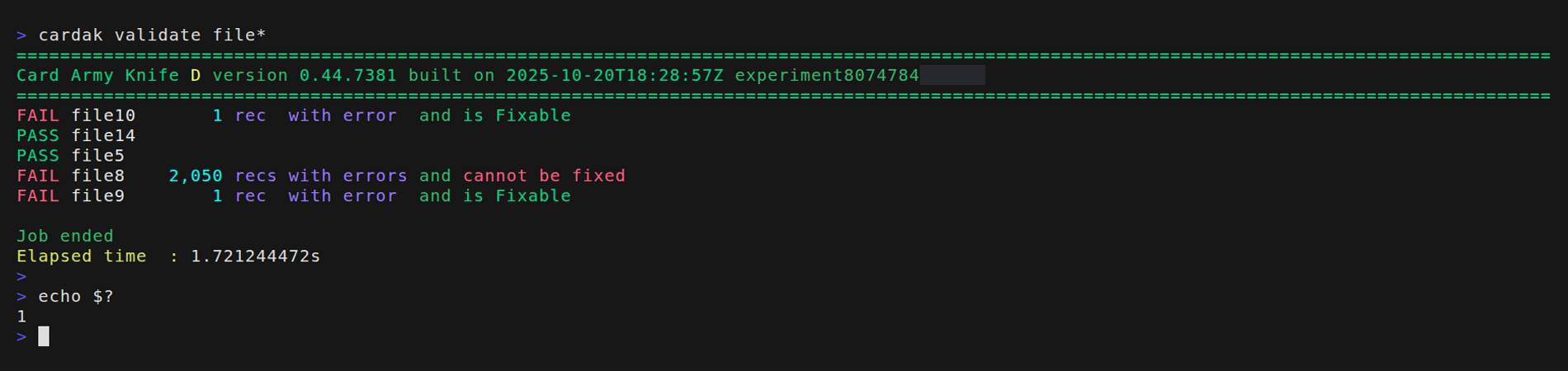
We see that two files pass the validations and three fail. We also see the number of records containing errors and a message that indicates if the encountered errors can be automatically fixed or not. The value returned to the operating system is 1 indicating that errors were found.
Another alternative output is to add the --silent (-z) flag to just get the returned value for automatic procedures.

The --silent flag omits all console output except for the results. As we can see, we just get one line per file containing 4 sections separated by the character ":". The first column indicates if the validations has failed or passed, the second one is the name of the file, the third one contains the number of records with errors (if it has errors), and the last one indicates if the errors can be fixed automatically or not.
Also for usage in scripts and automations, we can specify if we just want to get a list of files with or without errors by using the flags --pass and --fail respectively
For example:

This way we can analyze the output and move just those files that are either correct or with errors.
Returning to the validation, we can get more detailed information about the errors found, by adding the flag --verbose (-v) like this:
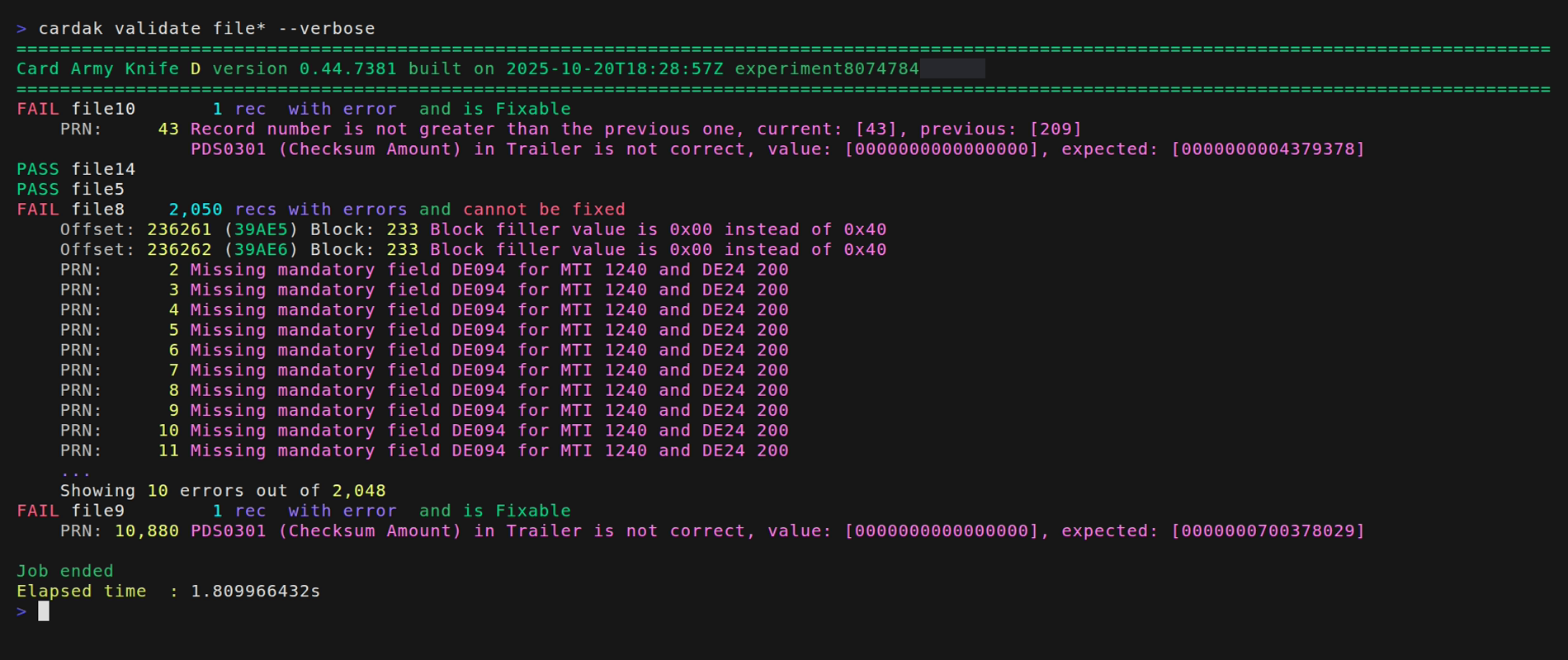
We see that file file10 contains an error in the trailer that can be fixed, and that file9 also contains an error in the trailer because the checksum is incorrect. Those errors can be fixed automatically by processing the file and updating the correct value in the trailer.
But we see that file8 contains several errors of different kind. The first two errors correspond to an invalid file format and we wee that in positions 23261 and 23262 we found bytes with value 0x00 when the correct values should be 0x40. These errors can be corrected atumatically, but there are more errors (just the first 10 are displayed from a total of 2048) where we see that for that combination of MTI (1240) and Function Code DE24 (200), field DE094 (Transaction Originator Insitution ID Code) is mandatory, but it is not present. Thiks kind of errors cannot be fixed automatically as the program doesn't know the correct value and it should be analyzed by someone else.