Data extraction
Maybe we want to see or modify the data contained inside an IPM file using some external program, either in a text editor or a spreadsheet. This tool allows to easily print or export all or selected records to another file to be used by these external programs.
Let's start with an example to see the contents of some records from an IPM file in an external text editor.
We will use the PRINT command, with which we can display the contents of the file in a readable format, either the full contents of the IPM file, or just only some records.
By default the PRINT command displays all the records of a file, showing the record number, information about the record and the list of present fields in that record.
If we want to show also the contents of the fields, we must add the flag --detailed (-d)
We can also select which records to display using the flag -R, and to show only some fields, we can use the -F flag (Please refer to the Flags and Filters section for more details).
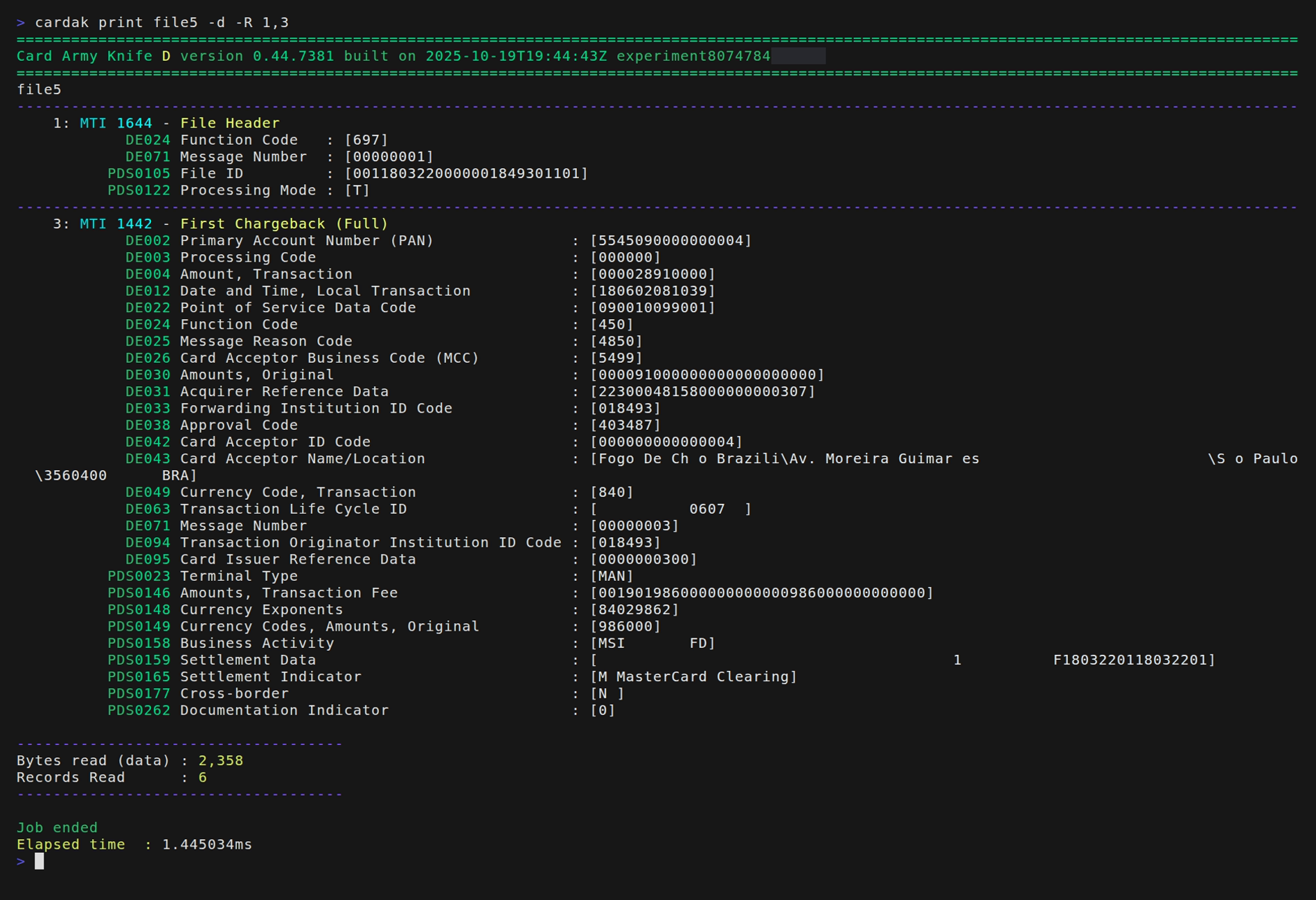
We can also use the --silent flag and redirect the output to a file that can be opened with a simple text editor and see the file contents, search for data, print in paper, etc.
Another option is to use the EXPORT command. This command by default creates a CSV file which can be opened in any spreadsheet like Excel. This file contains a first line with the names of the fields and in the rest of the lines the values corresponding to each field.
The same options for selecting records and fields can be applied to limit what is exported to the CSV file
There is a flag named --console that when present, instead of generating an exported file, displays the same information on the screen, so we can redirect this output to any file or device.