Logical files
If we have a file containing several logica files (MasterCard calls these files "transmissions"), we may want to have the contents of those logical files in separate physical files, or the other way round.
For this, we have the commands SPLIT and JOIN
The SPLIT command takes the contents of a file and for each logical file, it creates a new physical file.
The JOIN commands does the opposite, takes the list of files as input and generates a unique physical file containing as many logical files a files supplied to the command.
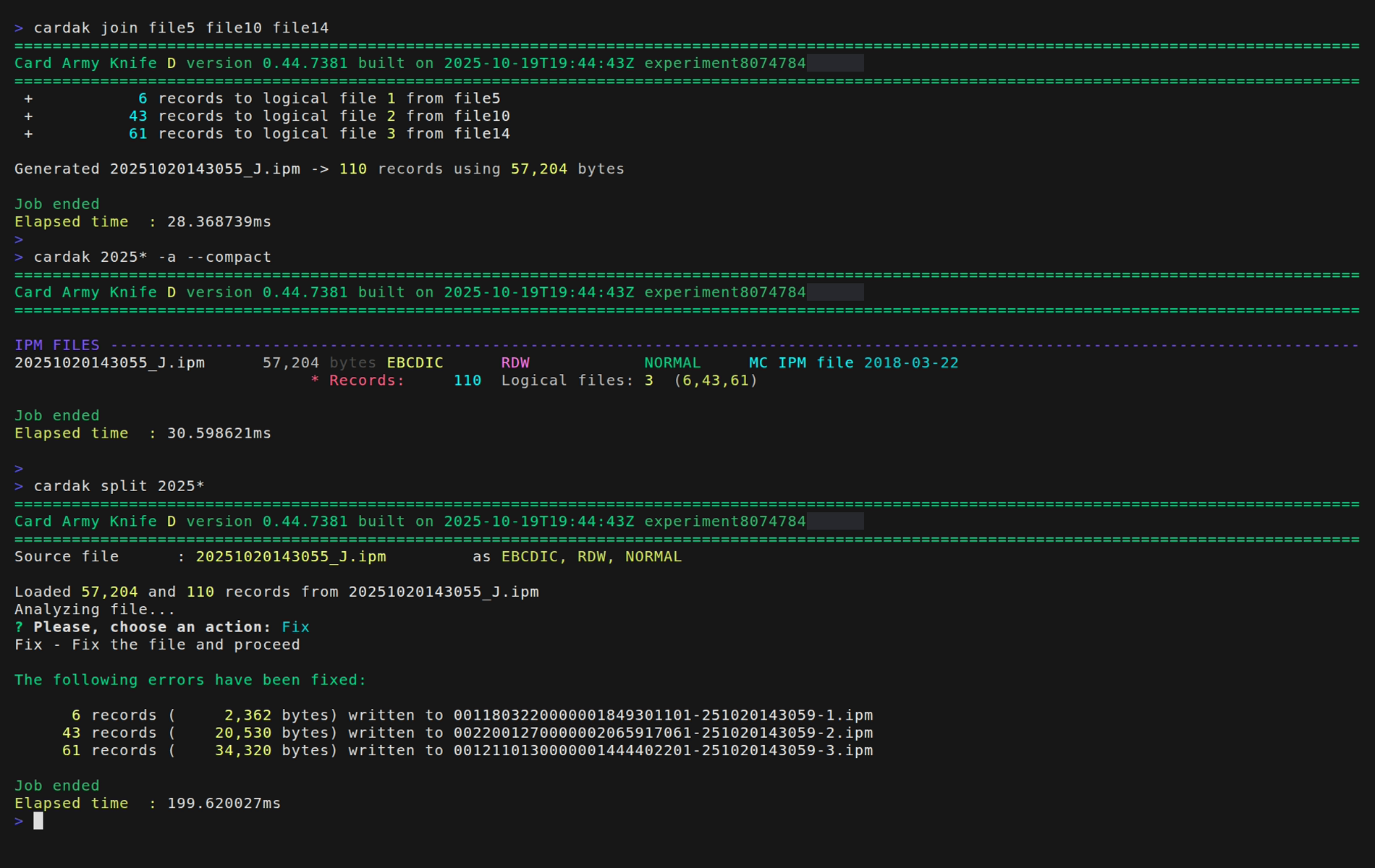
Let's see those commands in action. First, we will perform a JOIN of three different files (file5, file10 and file14), and we will create a new file with name 20230721233425_J.ipm (it is the generation date and time plus the characters "_J.ipm")
We see that effectively it contains three logical files with 6, 43 and 61 records respectively.
Then we separate those logical files using the SPLIT command. When trying to separate them, it detects some errors and gives us the option to cancel, ignore or fix the errors. We select Fix in this case, and it generates three new physical files which names are composed by the contents of the field PDS0105 of the header of each logical file, followed by a dash and the creation date and time, plus a sequential number that identifies the logical record number. It also add the extension ".ipm"