Identify files
Next we will show some situations that we can frequently find when dealing with these files, and how the tool can help us solve them. They are practical examples that can help understand how to use the tool and understand some basic functionality, sometimes using more than one command.
To learn more about the commands used here, you can visit the corresponding section for each one in this document, inside the Commands section.
Type and format
Meny times we find a list of files of different types, and sometimes it is not easy to identify their contents by just their names. Displaying the contents of a directory does not show the kind of information contained in those files and the format of those files.
As an example, we will see the contents of a directory with some files to showcase this situation with an exmaple:
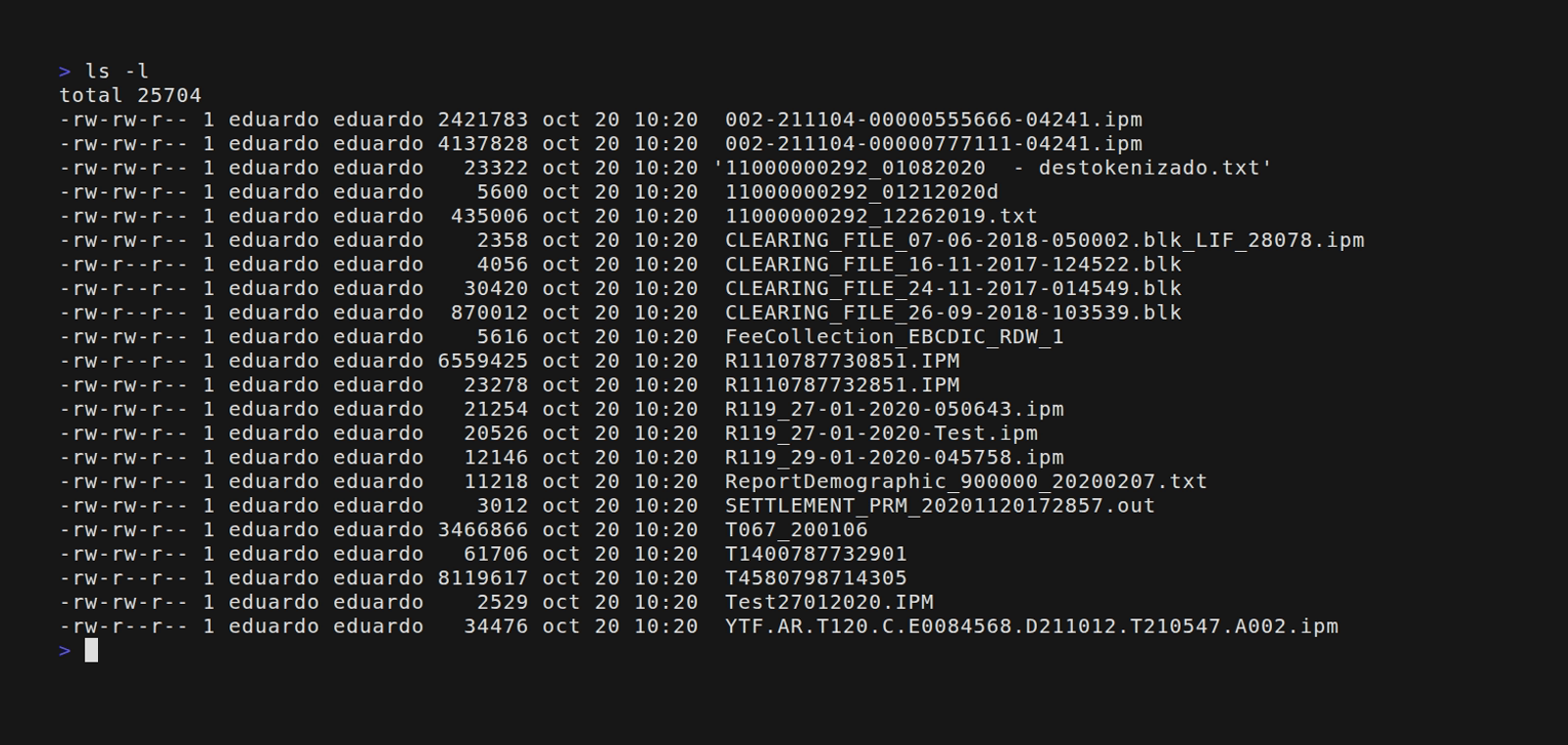
We can see a list of files, some of them may be familiar, but the file extensions can vary and not all of them comply with a naming convention. We also cannot know the format and encoding (if they are in ASCII or EBCDIC), if they contain fixed length records, variable length records, or delimited records. We also don't know if they are formatted in blocks or not (MasterCard usually sends the files in blocks)
So let's see how to use this tool to retrieve this information. When we invoke the tools without specifying any command, it assumes we are using the IDENTIFY command.
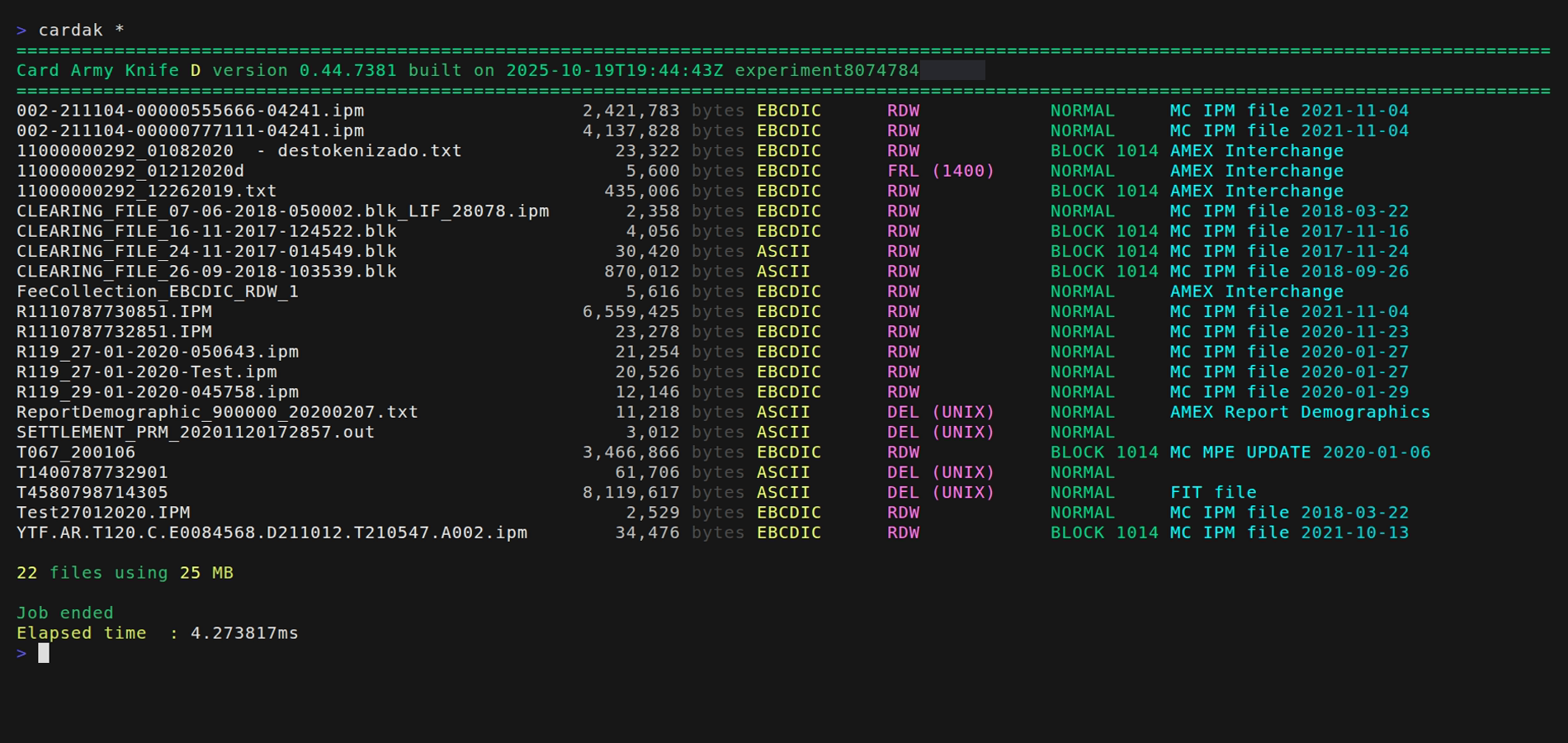
We can see the following information: first, the name of the file, then its size in bytes, the encoding (ASCII or EBCDIC), the record type (RDW - Variable record length, FRL - Fixed record length and their size, DEL - delimited and if using Unis or Windows delimiters), and finally if the file is in blocks of 1014.
Besides, if possible, the file type is displayed. We can see that most of them are MasterCard IPM files, but we can also see MPE, AMEX and VISA files.
For MasterCard IPM and MPE files, we can see the date indicated in the file header.
Even when this tool is currently developed to deal with IPM files, some operations can be applied to other file types, as we will see in another section like when changing the file format.
About IPM file formats
MasterCard interchange files and in particular IPM files have three main characteristics regarding their format which are:
- Record type
- RDW - Variable length records where each one contains a header indicating the length of the record.
- FRL - Fixed record length where all records in the file have a fixed length
- DEL - Delimited records, typically one record per line. These delimiters depend on the system:
Unix (Linux)- The end of line indicator is\norLF(0x0A)Windows- The end of line indicator are the characters\r\norCR+LF0(0x0D + 0x0A)
- Encoding - Record data can be encoded using ASCII or EBCDIC
- Blocks - It is usual for these files to be contained in blocks of 1014 bytes.
Next, and in order to show some examples, we will be using these files:

First let's see what they are:
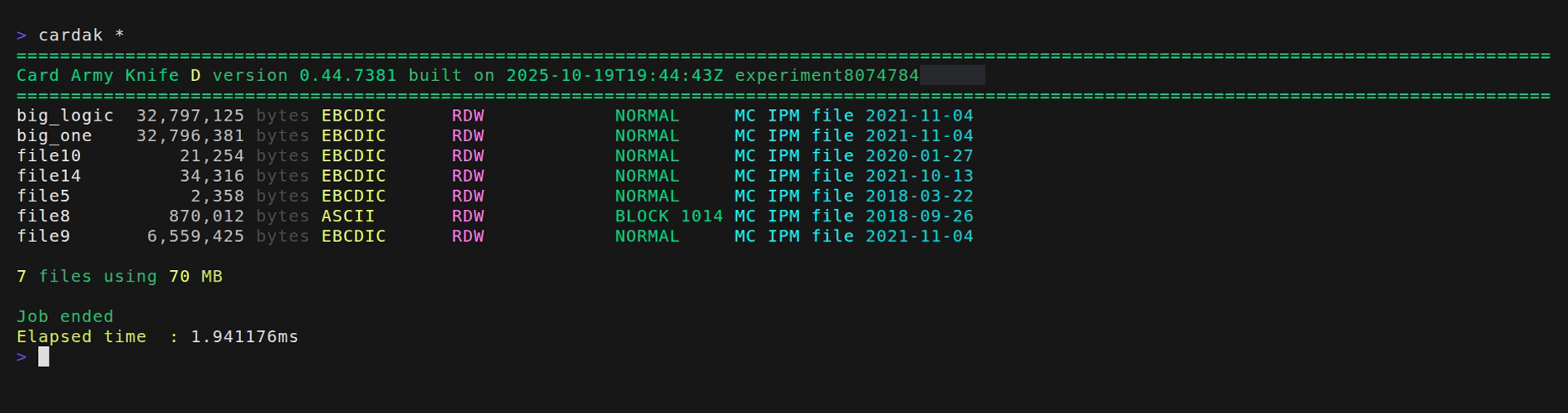
They are all MasterCard IPM files, and we have a mix of ASCII, EBCDIC, with and without blocks. All the IPM files contain variable record lengths (or RDW)
This is a compact view, with information of each file in just one line. We can have a different view if we specify just one file, like for example file8, supplying that name as a parameter, like this:
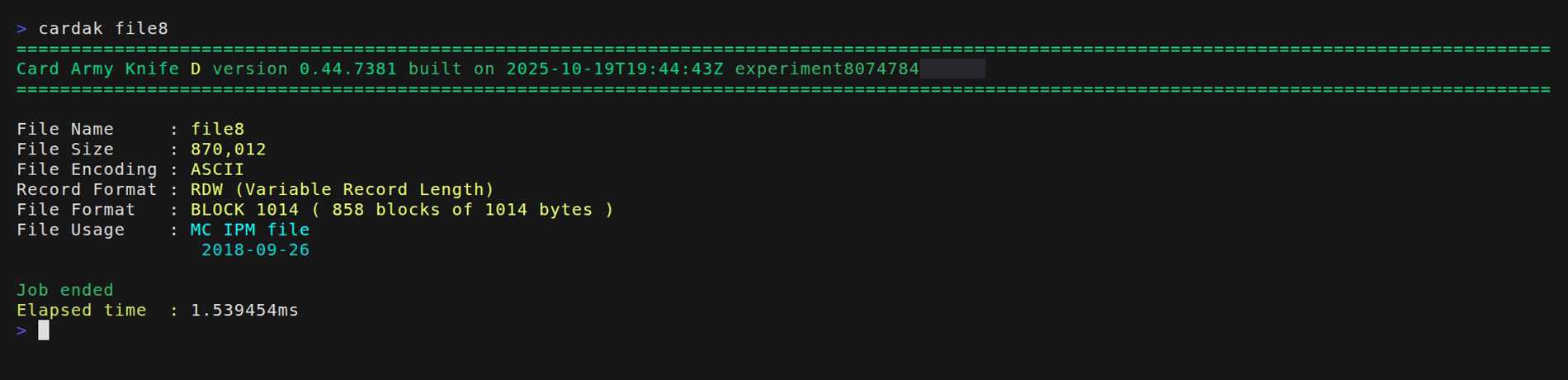
This information is gathered from a 10Kb sample from the file (or the whole file if it is smaller), so this process is very fast.
Extended information
If we want more information we can supply the flag --analyze (-a) which will read the full file and it can display more information.
For example:
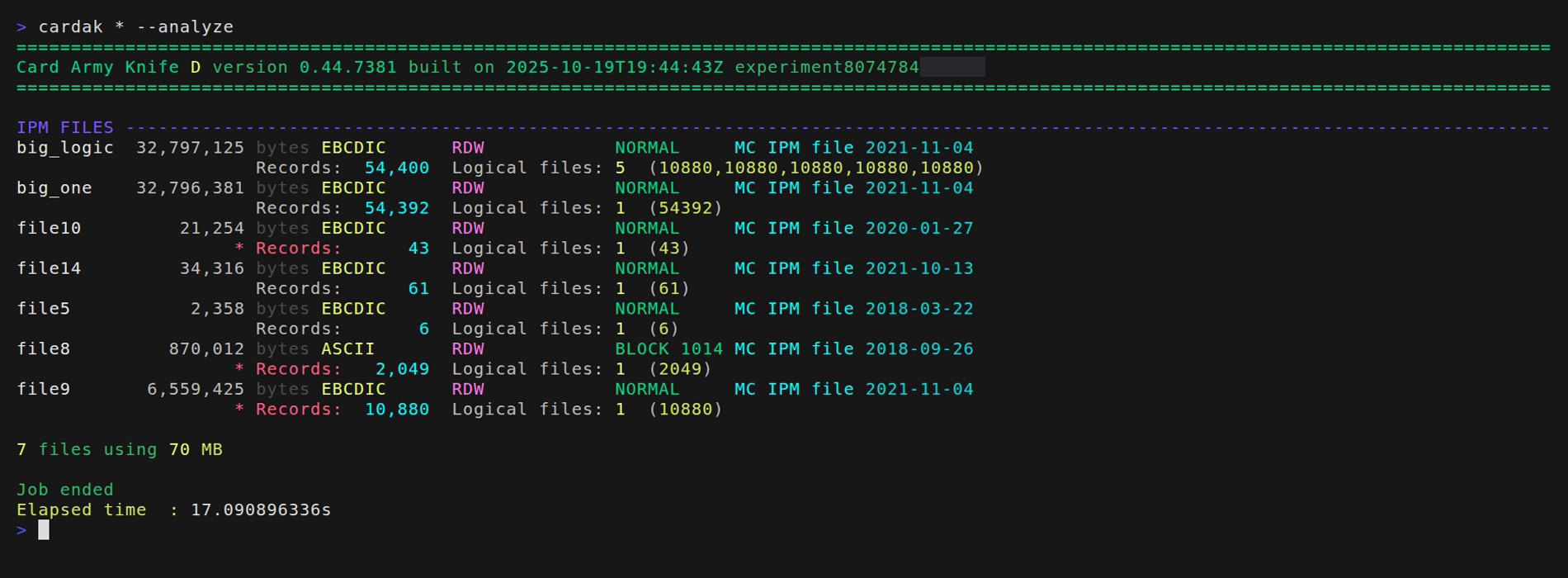
In this case, an extra line is added for each file where we can see the number of records contained in each file, the number of logic files and the number of records on each logic file. In this example, the first file contains 5 logic files, each one containing 10.880 records (they all have the same number of records because this is a test file created for this demo by joining one file 5 times)
We see that some of them present the word "Records" in red and preceeded by an asterisk. This means that some errors were found when reading the file.
We should note that when using this option, the full files have to be read and processed, so this operation is usually mush slower that just identifying the files without analyzing them.
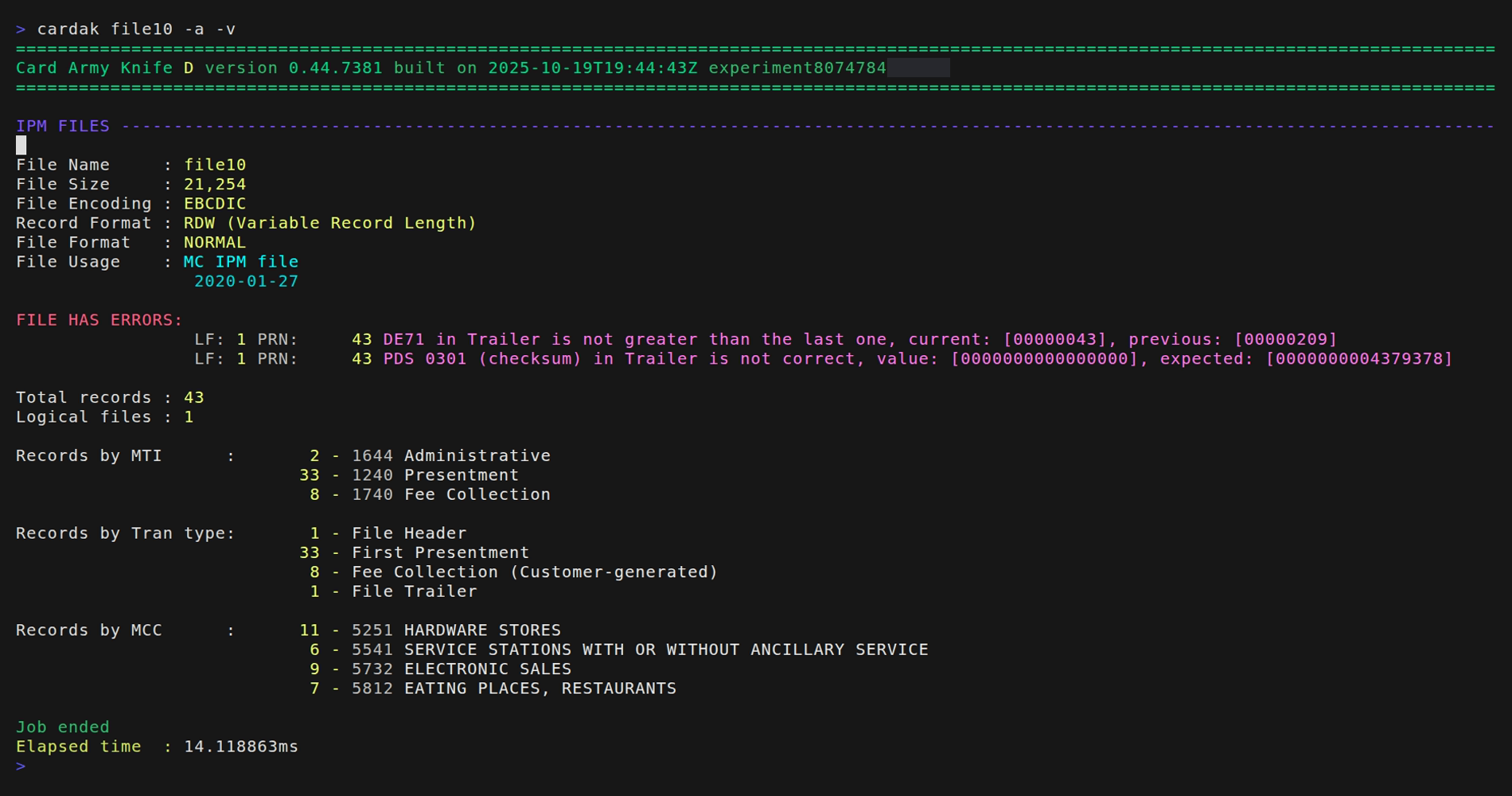
To investigate further, we will supply just the name of one file to analyze, which will display more detailed information. We will see the problems of file10
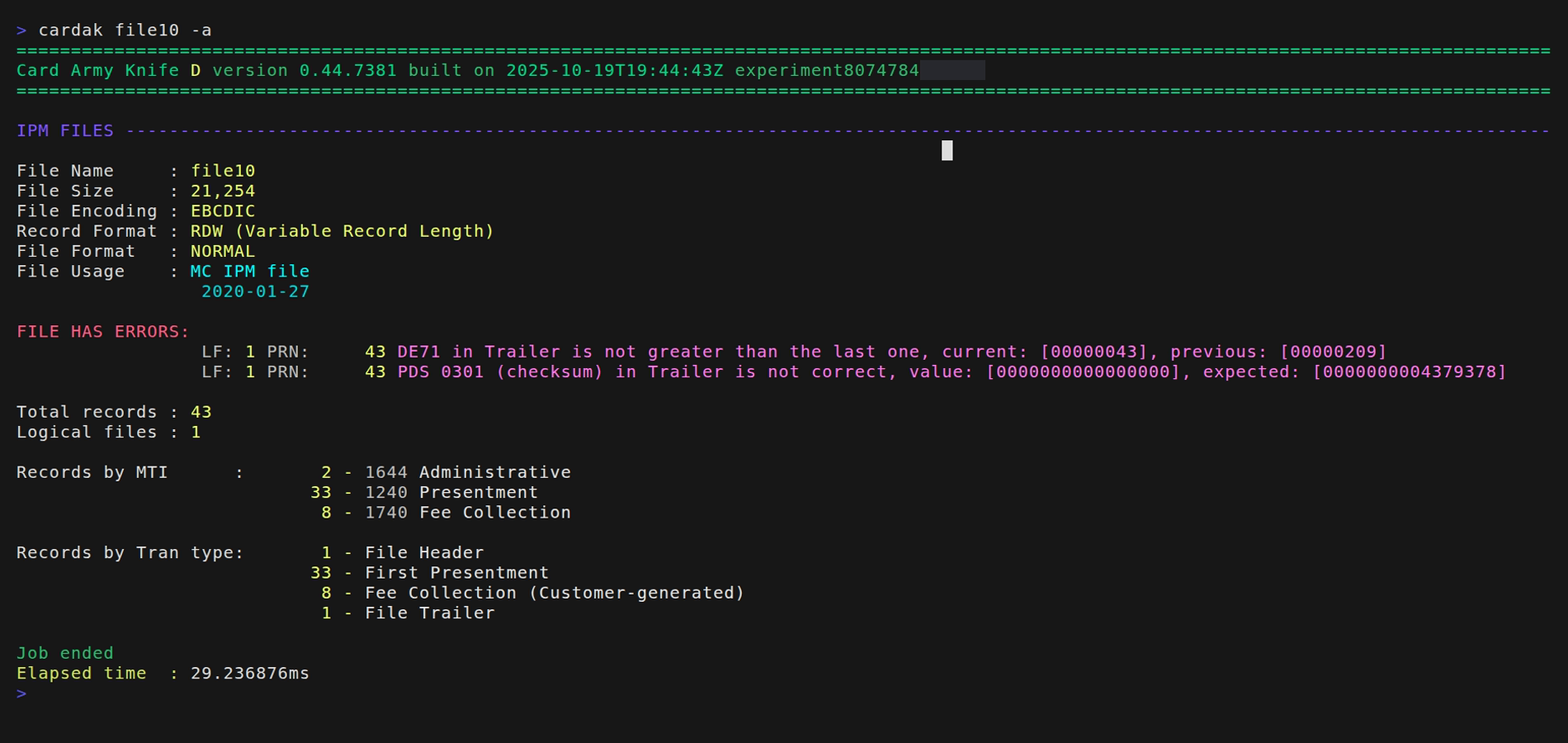
We can see that the file conains errors in the logic file number 1 (LF: 1) and, in particular, in the physical record number 43 (PRN: 43) wich is the trailer of the file. We also see that field DE71 (Line indicator inside the file) is not greater than the previous one. Also the field PDS0301 which contains the amount checksums is not correct.
Additionally, we get statistical information, like the number of records per MTI, or the number of records by transaction type. If we also add the flag --verbose (-v), we will the the number of records summarized by MCC.