Fix files
Some errors can be fixed automatically. For example, record numbers inside the file should be ascending and the headers of each logical file shuld start with number one. Also the checksums of the trailer, or the character used to fill the blocks (the standard specifies this value to be 0x40, but sometimes files are created using a different value like 0x00). All these errors can be fixed automatically by calculating the correct values.
There are other types of errors like missing fields or physical file errors (like an incorrect length or the presence of unauthorized characters in some fields) that cannot be automatically fixed, but the tool offers other ways to solve some of these problems (See section Interactive mode)
We previously saw that file file10 contains two fixable errors, so we can use the FIX command:
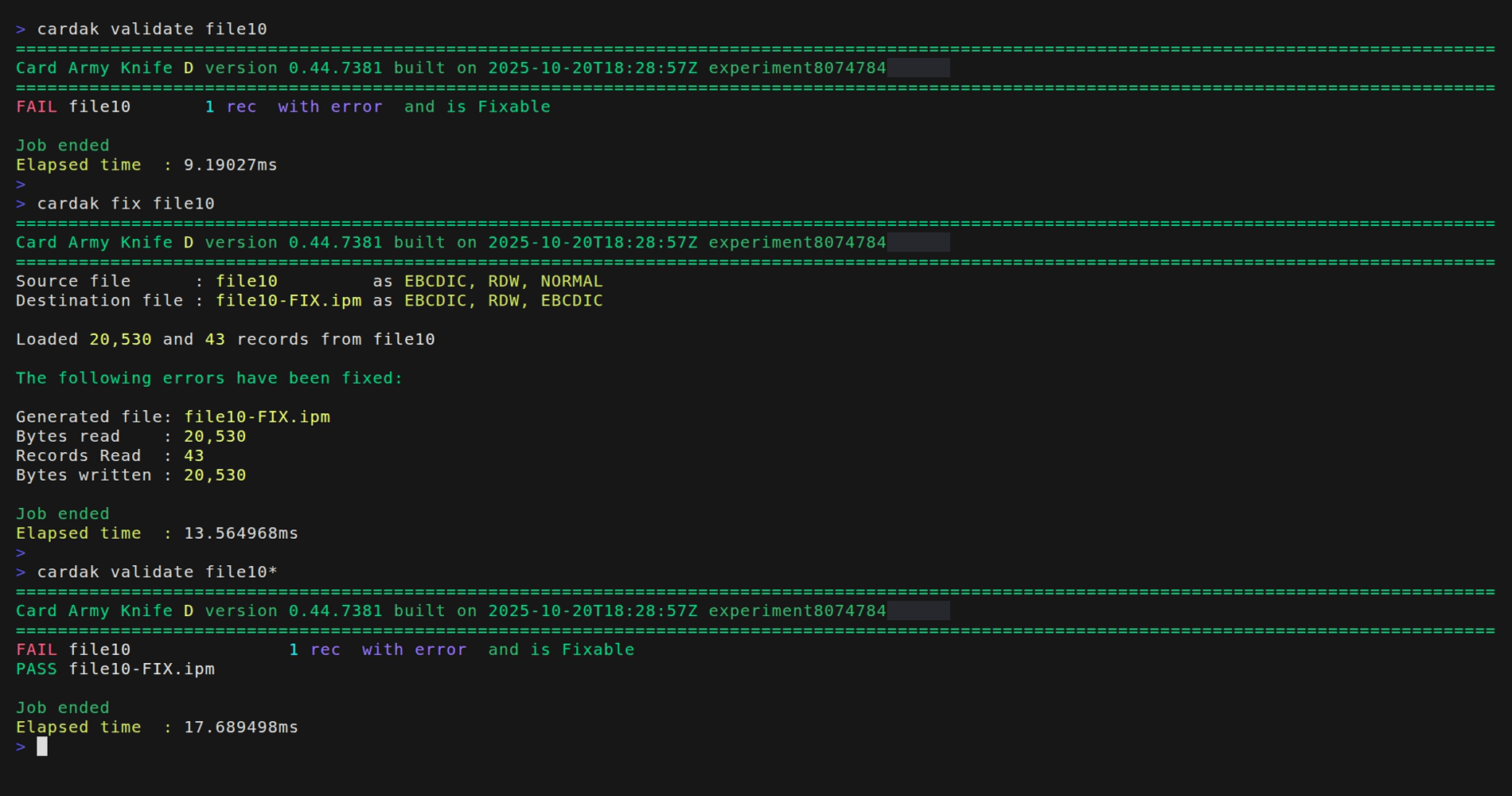
The fixed file contains the original name plus "-FIX.ipm" at the end. The extension is added because this command only is available for IPM files and this makes clear the file type on its name.
We can apply this command to multiple files at once, but files detected to be different than MasterCard IPM files will be ignored.