Delete records
Maybe after generating a file, we need to remove some record, either because we don't want to include it in that particular file or because the file was rejected and we just want to send it again without the problematic record(s).
Sometimes it is easy to generate the file again after making some corrections, but not every system has a simple way to do that.
The first thing to do is to identify the record(s) to remove from the file. We can perform a search as indicated in a previous section.
What is important here is to obtain the physical number of the record(s) to be deleted.
As an example, we will use the same criteria used in the previous example, by searching for the desired record using the GREP command. We will eliminate from file9 the record corresponding to the merchang with name "carpinteria" and for an amount of 1970.00
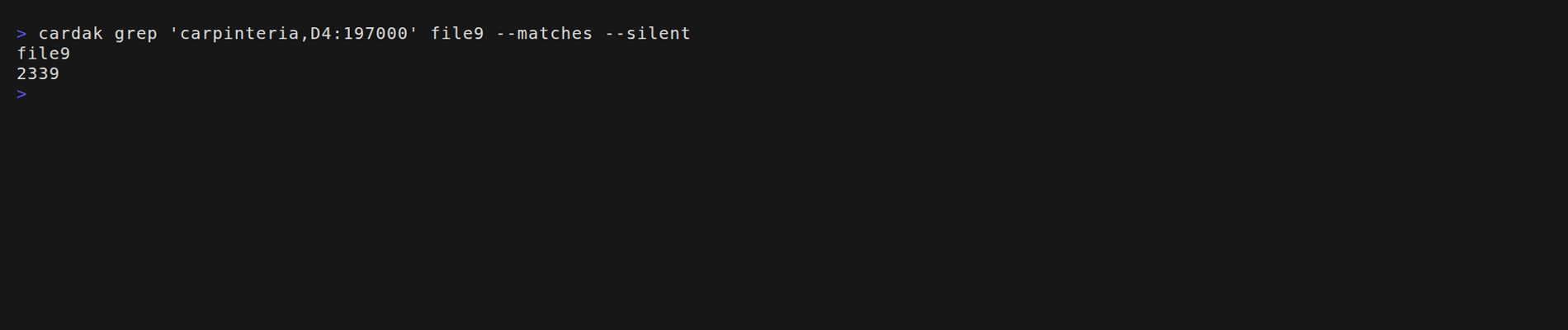
We will use here the reduced version of the search as we already know that the record is present in this file, so we just need to get the record number (in this case we will use the flags --matches and --silent), getting the record number 2339. Then we proceed to delete the record using the DELETE command:
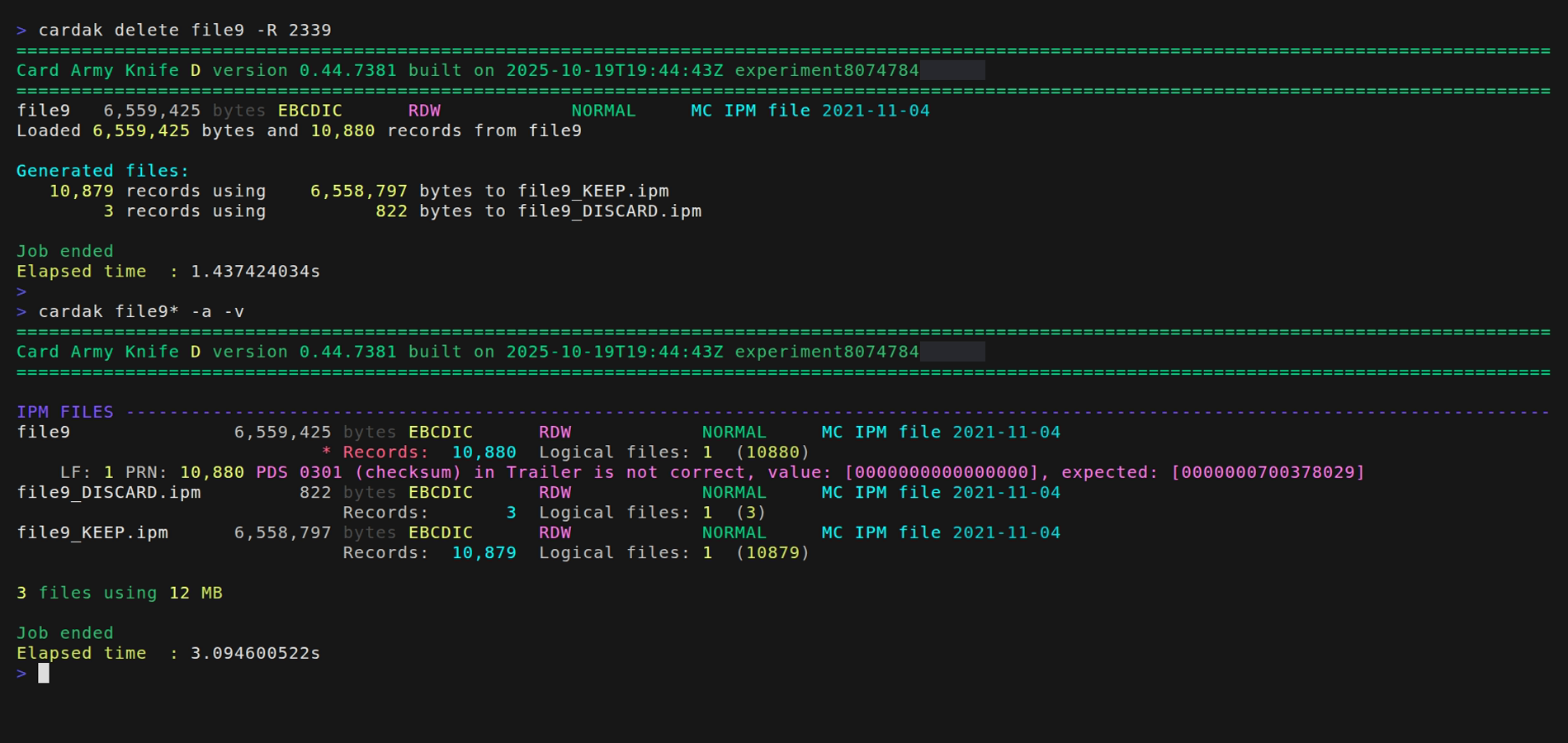
We can see that one record was deleted from the file, which originally contained 10.880 records and now the new file contains just 10.879 records. We also see that the original file contained an error in the trailer record, but the new file, as we had to recalculate the values for the new trailer, has already been fixed.
We also see that the original file was not modified, instead, a new file was created, by default using the same name as the original but adding "-DEL" to the name (we can specify another name by using the flag --out)
But what will happen if we want to eliminate all the records that belong to the merchang with name "Carpinteria"? We could perform that operation for each of the records, or we could just write down the record numbers of all matches, but this is unprractical for more than a few number of records.
In this case, we can use the flag --last that just applies the command to the results of the last GREP command performed on that file. let's see how to use it:
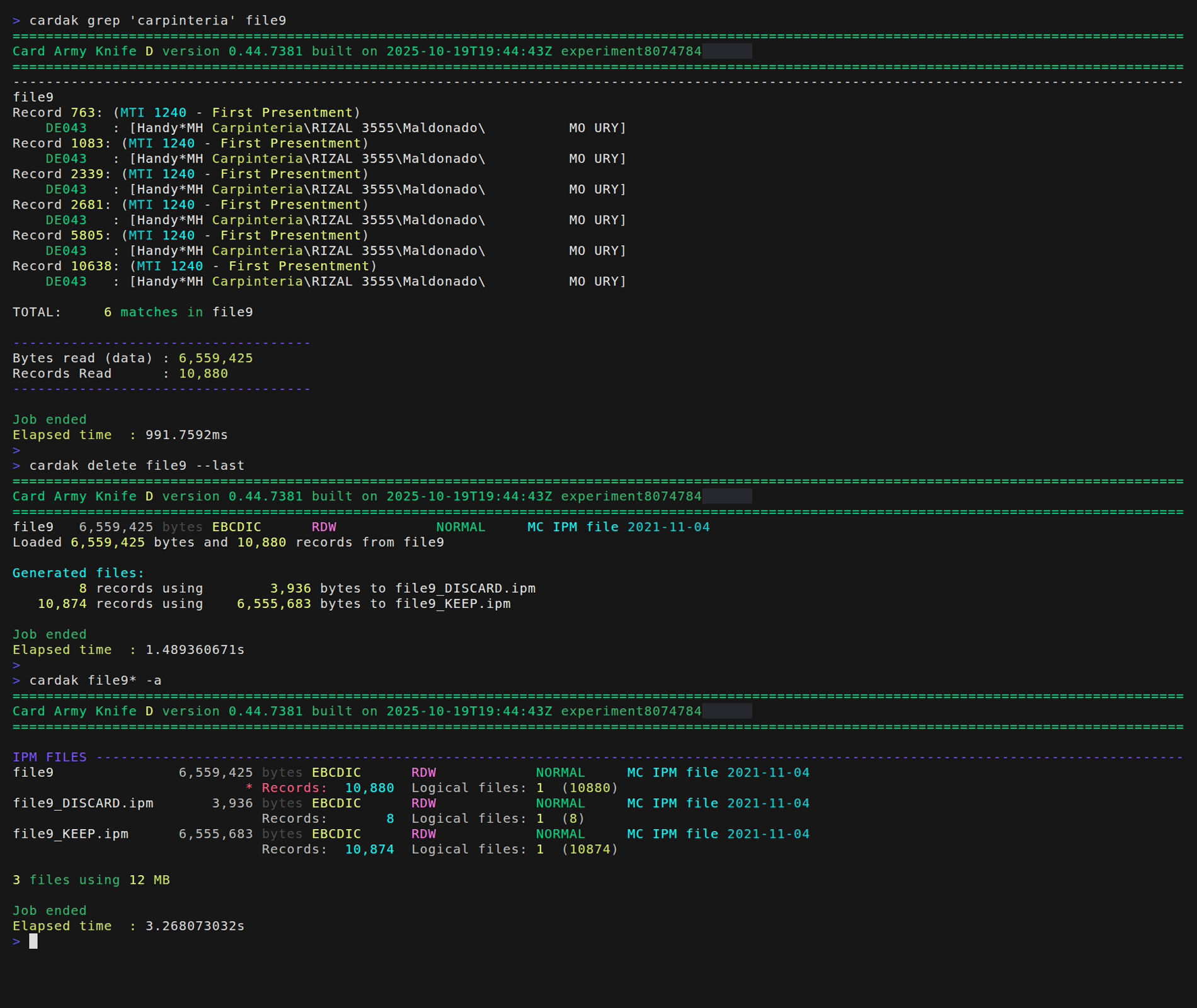
We perform the search for the value "carpinteria" and we see that there are 6 records that contain that value.
The next command to use is the DELETE command, but instead of writing the list of record numbers using the -R flag, we use the --last flag, which will use the list of records from the last search. We see that the new file contains 10.874 records with are 6 less than the 10.880 from the original file.
The file containing the deleted records shows 8 records which consist of the 6 deleted records, plus the corresponding Header and Trailer