FIX
This command tries to repair IPM files with structural or integrity errors.
Syntax
$ cardak help fix
usage: cardak fix [<flags>] <files>...

Fixes an IPM file that has errors

Flags:
      --help           Show context-sensitive help (also try --help-long and --help-man).
  -v, --verbose        Add more information displayed on some commands.
      --mono           Supress color on output.
      --ignore         Try to ignore some errors and continue processing the file
  -W, --width          Ignore small terminal width check and force execution
  -z, --silent         Suppress all output (banner, headers, summary) except the results. Specially useful for DESCRIBE command piped to a search utility like
                       fzf
      --format=FORMAT  Optional format for the fixed files

Args:
  <files>  File names to fix
Description
Sometimes we need to fix errors in IPM files.
Not every error can be fixed automatically, like when some mandatory fields in headers are missing, where it is not possible to automatically correct those errors.
The errors that can be automatically fixed are, for example, record numbers in an incorrect order, or summary and checksum values in the trailers that do not correspond to the present records.
The output of this command is a file with the same name as the original but adding “-FIX.ipm” to the end. The new generated file has by default the same format as the original file, but we can specify a different format using the --format flag (the options are the same we use for the CONVERT command).
Example
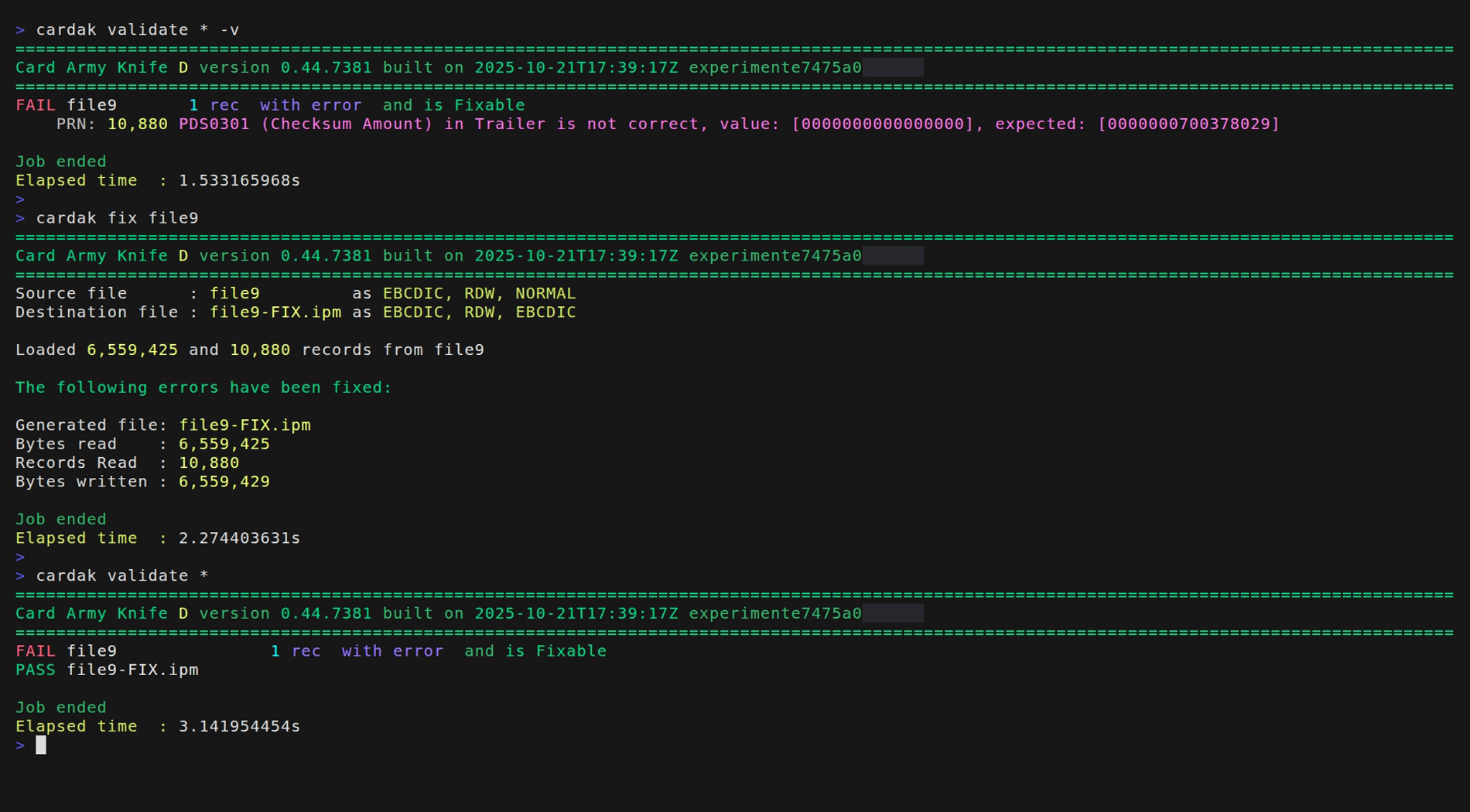
We have a file that containis errors that can be automatically fixed (in this example an incorrect trailer record). We proceed to fix it and we verify the validity of the new generated file.