IDENTIFY
Automatically identifies the type, format and characteristics of known files.
Syntax
$ cardak help identify
usage: cardak identify [<flags>] <files>...

Identify the file type. This is the default command if none is specified

Flags:
      --help      Show context-sensitive help (also try --help-long and --help-man).
  -v, --verbose   Add more information displayed on some commands.
      --mono      Supress color on output.
      --ignore    Try to ignore some errors and continue processing the file
  -W, --width     Ignore small terminal width check and force execution
  -z, --silent    Suppress all output (banner, headers, summary) except the results. Specially useful for DESCRIBE command piped to a search utility like fzf
      --detailed  Force detailed information regardless of number of files. This option displays more than one line per file
      --compact   Force compact information regardless of number of files. This option displays summary information on just one line per file
  -a, --analyze   Analyze the contents of the file (for IPM files) and show extended information

Args:
  <files>  List of files to be identified.
Description
When no command is specified, it is assumed this command (IDENTIFY)
This command receives a list of file names and it shows information about them after a quick analysis of the files, like the size (in bytes), the encoding, record and file formats (for IPM files)
If we just indicate a file, a more detailed information is displayed, otherwise it is displayed in a compact format (one file per line).
We can always force the output format by using the flags --detailed or --compact
If we add the --analyze (-a) flag, a more deep analysis of the file is performed by reading the whole contents of the files and analyzing them to determine the number of present records, a quick search for errors, and calculate some statistics like the number of logical files present and the number of records in each one, the number of records by MTI, by Transaction Type and the number of records by MCC (this last one when adding the --verbose flag)
This detailed analysis can take longer depending on the size of the file. During this analysis these operations are performed:
- Record integrity
- Inconsistencies by detecting missing mandatory fields
- Distribution statstics by transaction type
- Error codes validation
This command is NOT optimized when using the --analyze flag so, when using this option, the full contents of the files are read and loaded in memory (this cam change in a future version to improve memory usage)
Examples
We can quickly identify the type and format of the known files regardless of their names:
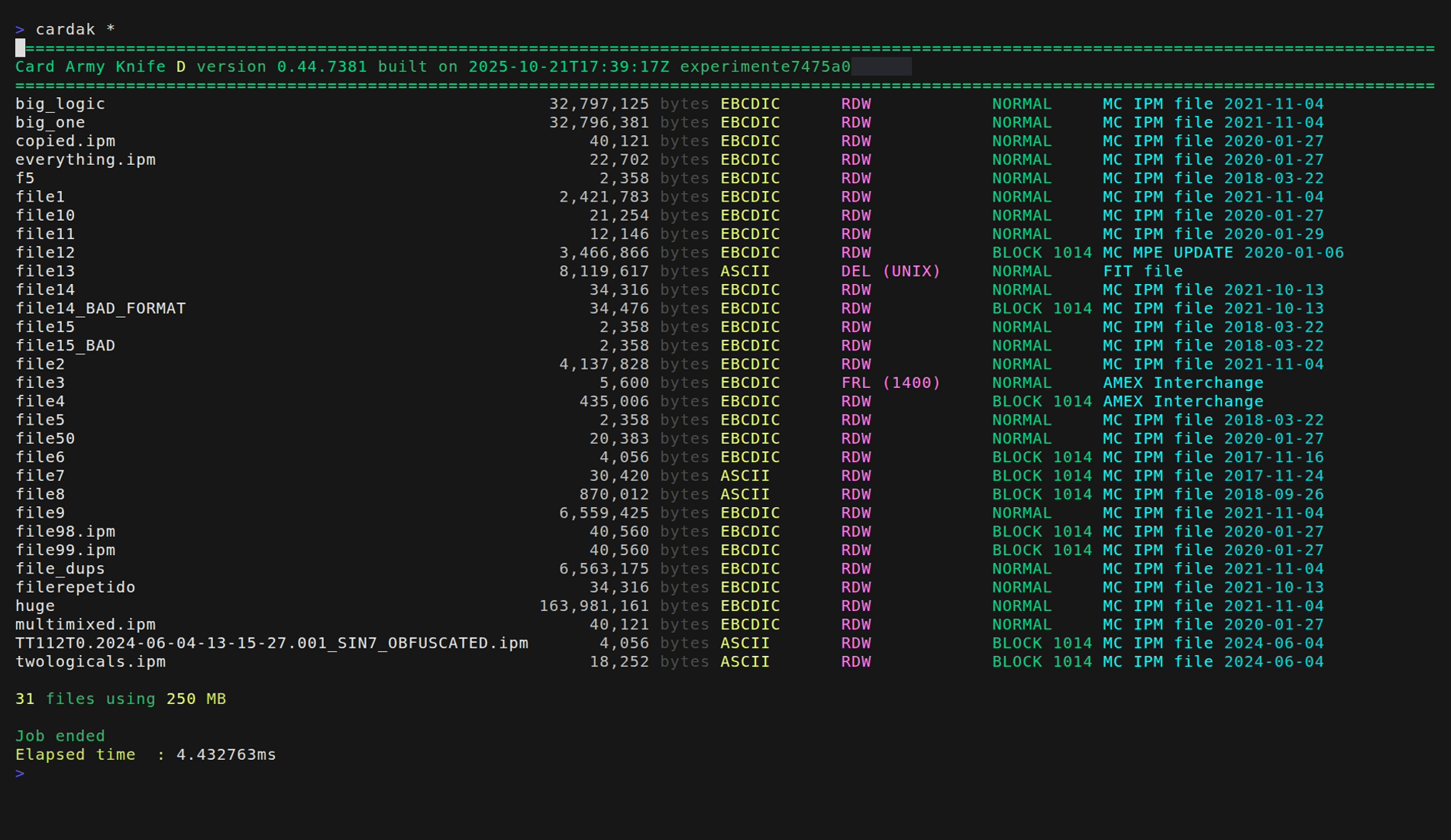
We observe that there are many IPM files but also some FIT, MPE and AMEX files. We also observe the format of the known files.
By adding the --analyze flag we can get more information about the files. In this case all the files need to be processed in full to analyze their contents, so using this option is slower but gives us more detailed information.
For example:
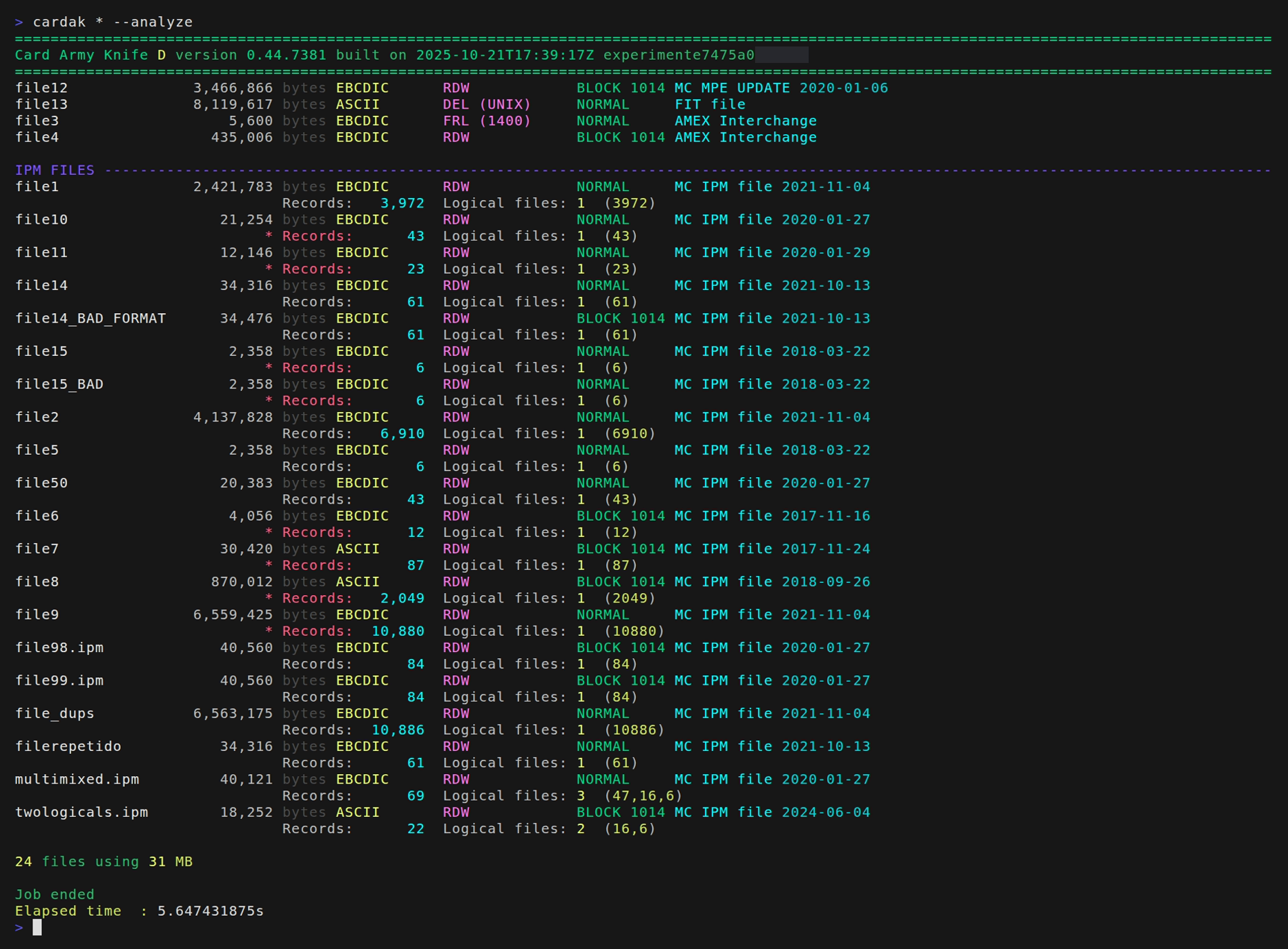
We see that files that are not IPM files are displayed at the beginning, and the all the IPM files are displayed with more detail. Besides the basic information we can see the number of records and the number of logic files with the corresponding record count.
We can also see in red and with an asterisk those files that contain some errors. We can have more details about the errors by using the VALIDATE command.
If we want to see more details about the analysis of the file, we can use the --detailed flag or just indicate one file.
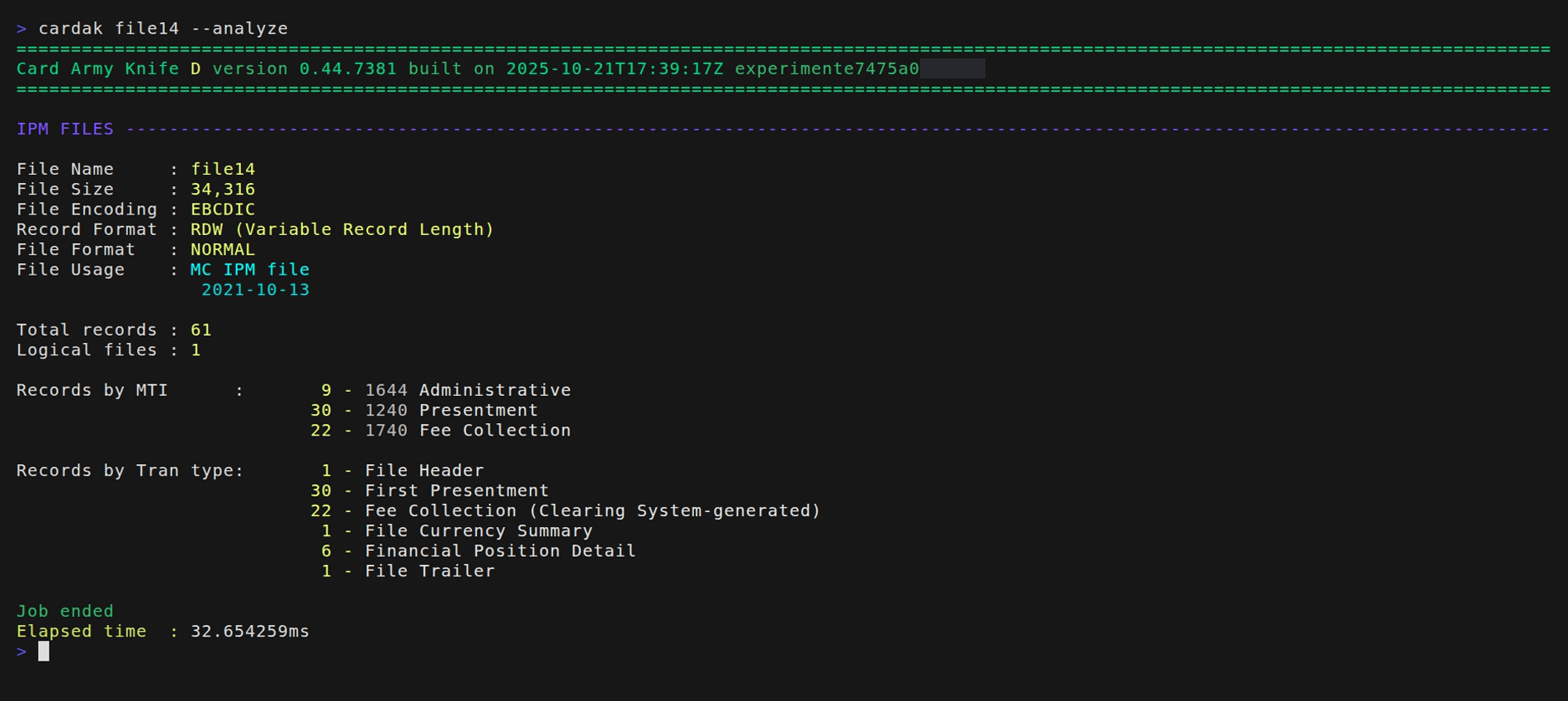
As we can see, with this flag, we also see the number of records by MTI and by Transaction Type