JOIN
Combines multiple files into one interchange file.
Syntax
$ cardak help join
usage: cardak join [<flags>] <files>...

Join several phisical files as logical files into one file

Flags:
      --help           Show context-sensitive help (also try --help-long and --help-man).
  -v, --verbose        Add more information displayed on some commands.
      --mono           Supress color on output.
      --ignore         Try to ignore some errors and continue processing the file
  -W, --width          Ignore small terminal width check and force execution
  -z, --silent         Suppress all output (banner, headers, summary) except the results. Specially useful for DESCRIBE command piped to a search utility like
                       fzf
  -o, --output=OUTPUT  Name of the generated file
  -f, --fix            Automatically fix the resulting file
  -m, --merge          Merge the file records instead of generating logical files

Args:
  <files>  List of files to join
Description
This command is used to join several IPM files into one file. We just supply a list of files and a new one is created containing all records from the given files. It is the opposite to the SPLIT command.
By default, the new file will have the contents of the input files as logical files (transmissions), so the records are still grouped as they were in the original files (they keep their order).
We can change this behavior using the --merge (-m) flag, so all the records from the different input files are merged into one single logical file. The header of this logical file will be the same as the header of the first processed file.
We also have the option to use the --fix (-f) flag to fix any possible problem that could be present in the input files (if those errors are fixable)
Examples
We will take three files that we want to join into just one file.
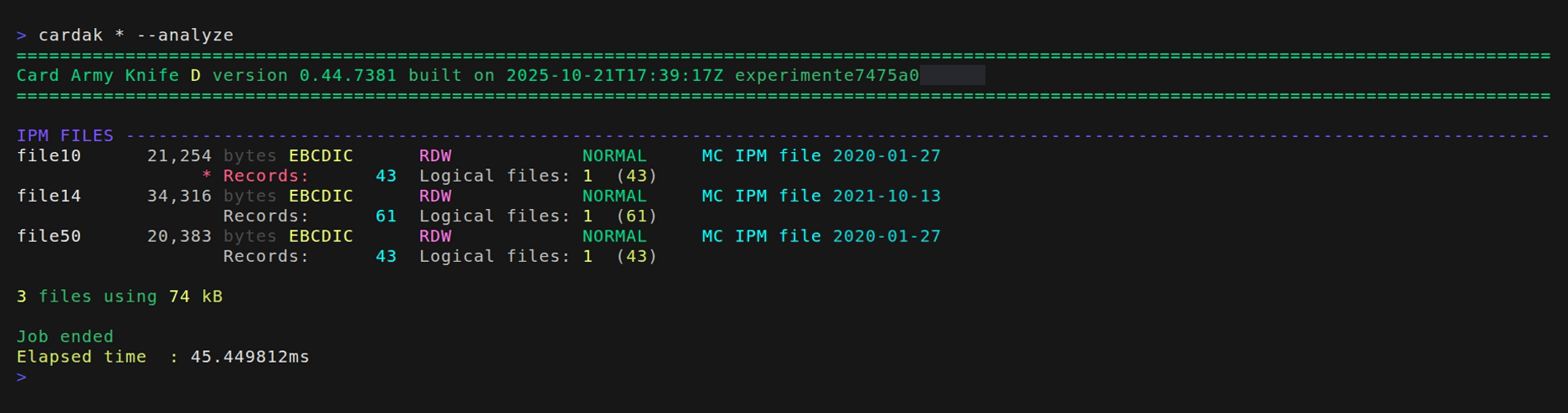
We will use the JOIN command. The new file that contains the records of the three input files has as name the date and time plus the "_J" suffix and the extension ".ipm"
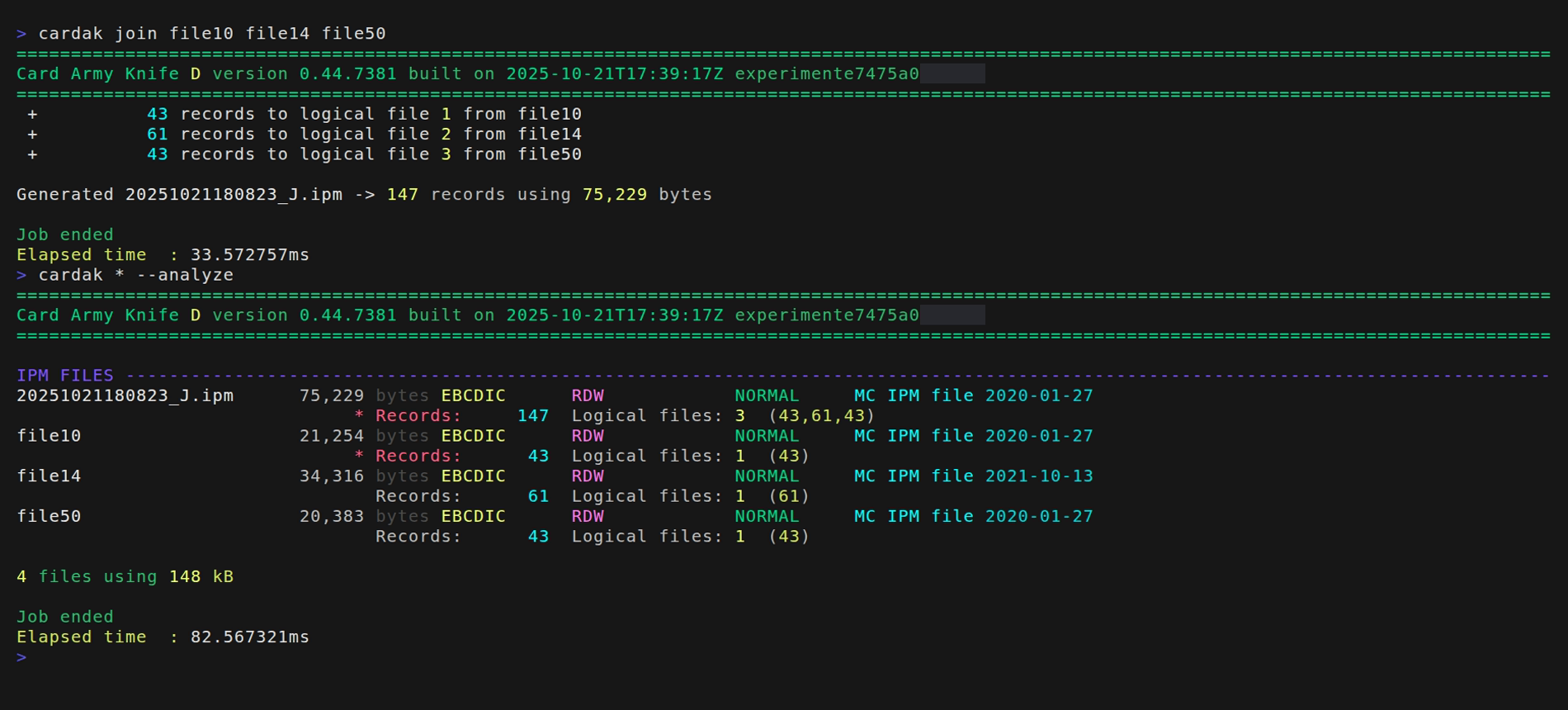
Let's see the details. First, the content of each phisical input file has been added as a logical file (we can check this by analyzing the results). Second, one of the input files had errors that were kept while creating the new file. Let's change both behaviors by adding a couple of flags, --fix to correct the errors and --merge to only create one logical file.
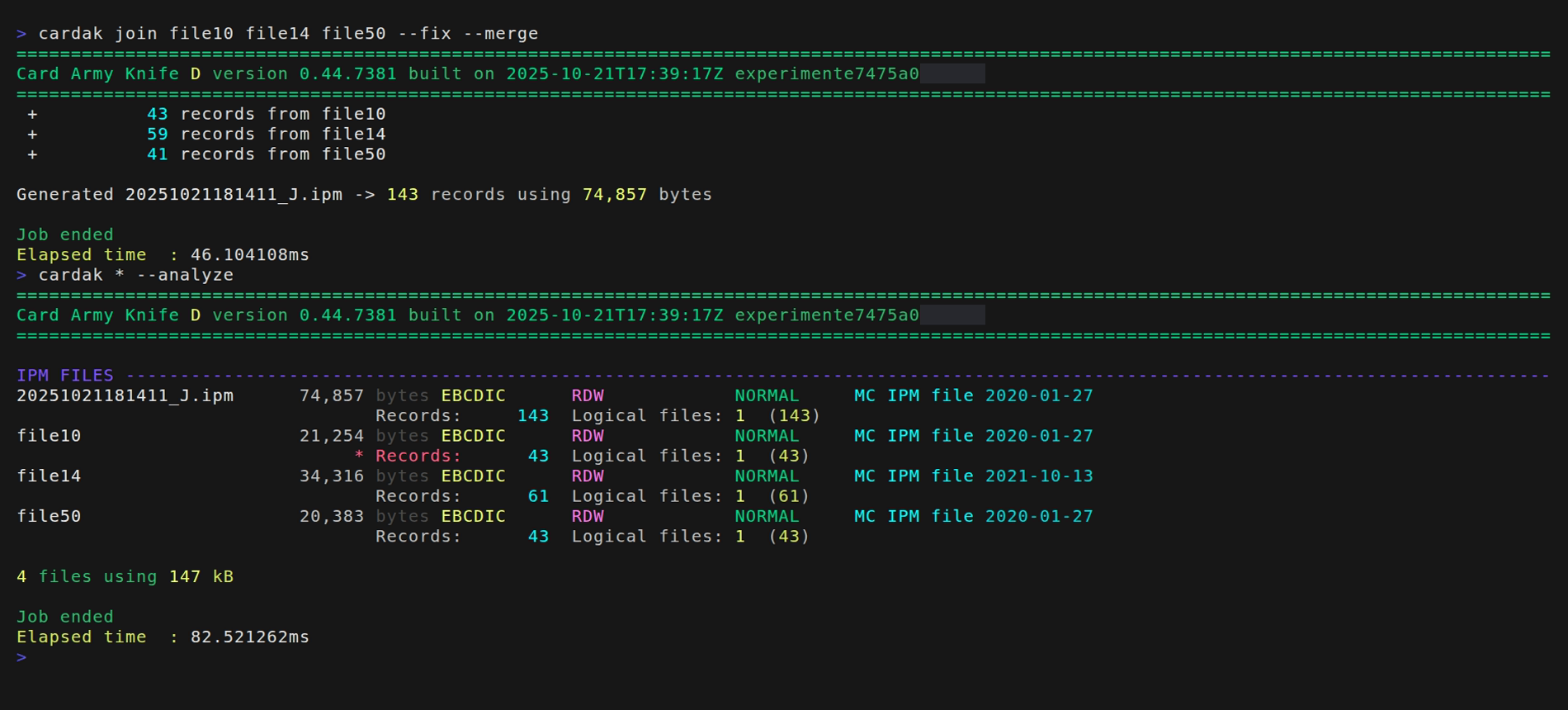
Now we can see that the generated file only contains one logical file with all the records, and that the error has been automatically fixed.