DESCRIBE
Query information about fields and common values without the need of accesing the manuals
Syntax
$ cardak help describe
usage: cardak describe [<flags>] <field name> [<search pattern>]

Describe IPM fields and functions.

It accepts the following:

  MT[I]              - Show MTI values
  TRAN[SACTIONTYPES] - Show valid transaction types
  FUNC[TIONCODES]    - Show valid function codes
  D[E]n              - Data Element n (can use wildcards)
  P[DS]n             - PDS element n (can use wildcards)

Flags:
      --help       Show context-sensitive help (also try --help-long and --help-man).
  -v, --verbose    Add more information displayed on some commands.
      --mono       Supress color on output.
      --ignore     Try to ignore some errors and continue processing the file
  -W, --width      Ignore small terminal width check and force execution
  -z, --silent     Suppress all output (banner, headers, summary) except the results. Specially useful for DESCRIBE command piped to a search utility like fzf
  -x, --extended   Display extended information
  -s, --subfields  Show subfields if they exist

Args:
  <field name>        Field name to describe (can use wildcards)
  [<search pattern>]  Pattern used as filter for results
Description
This command does not work on files, it is just a quick help to search information about fields and common values without the need to read full manuals. It is helpful, for example, when we want to use some filter but we don't remember the field where that information is stored.
It is a flexible command regarding how to search for information, as we can use patterns and filter by parts of the description.
We can query fields like Date Elements (DE), Private Data Subelements (PDS), MTI, Function Codes and Transaction Codes.
For fields, we can use the nomenclature used in almost every part of the tool (for details please refer to the section Flags and Filters). We can also use wildcards to refer to more than one field, and we can optionally add a text to filter the elements by description. We will see similar information as the one in the manuals from MasterCard.
For the Function and Transaction codes, we will be presented with the values and descriptions of the different combinations of values.
For DE and PDS, By default only a summary is displayed, but by adding the --subfields (-s) flag, it will also show the subfields if they exist, or the --extended (-x) flag to display extended info when available.
For example, let's take field DE43. If we are not sure what information it contains, we can do this:
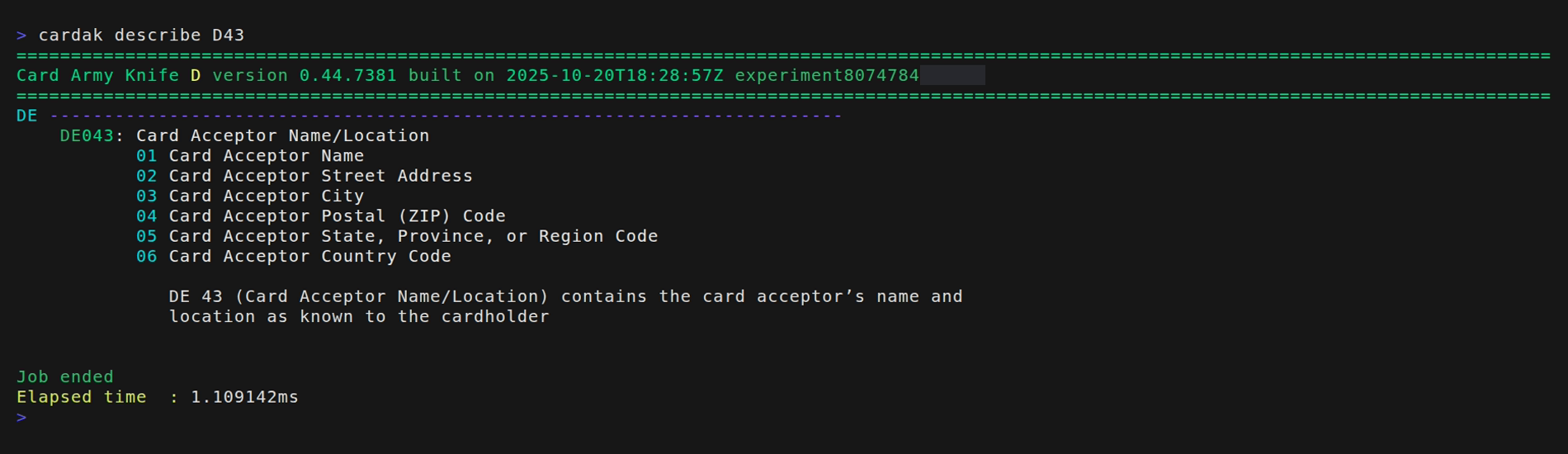
Or, let's say that we want to search for an amount but we don't remember which field contains that information. In this case we can ask for all fields that contain the desired description:
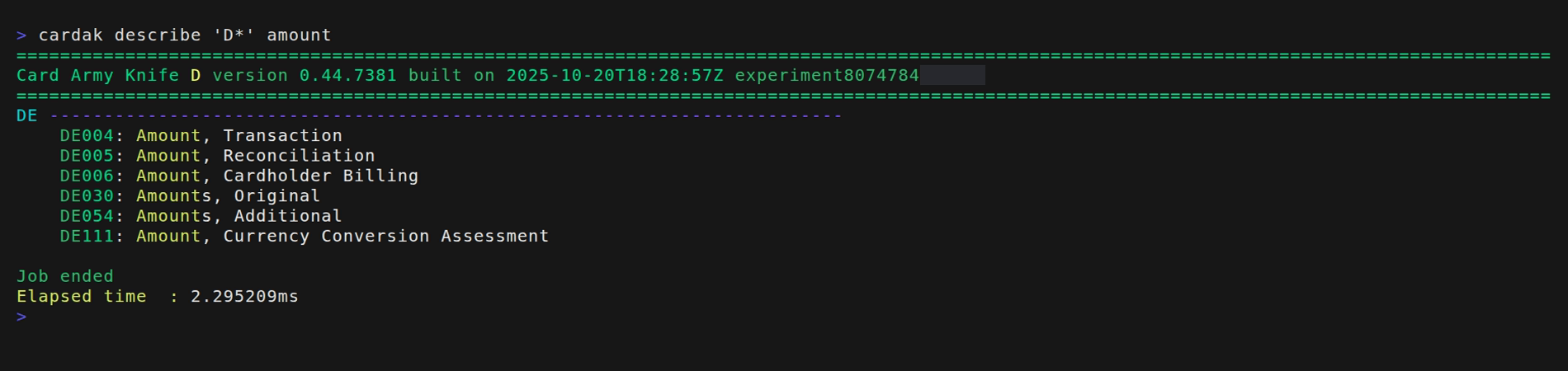
We see that in this case we ask for all Data Elements by indicating 'D*'. Under Linux it is necessary to use the string like this or the shell will try to expand the "*" as files.
For example, let's see which Function Codes are available:
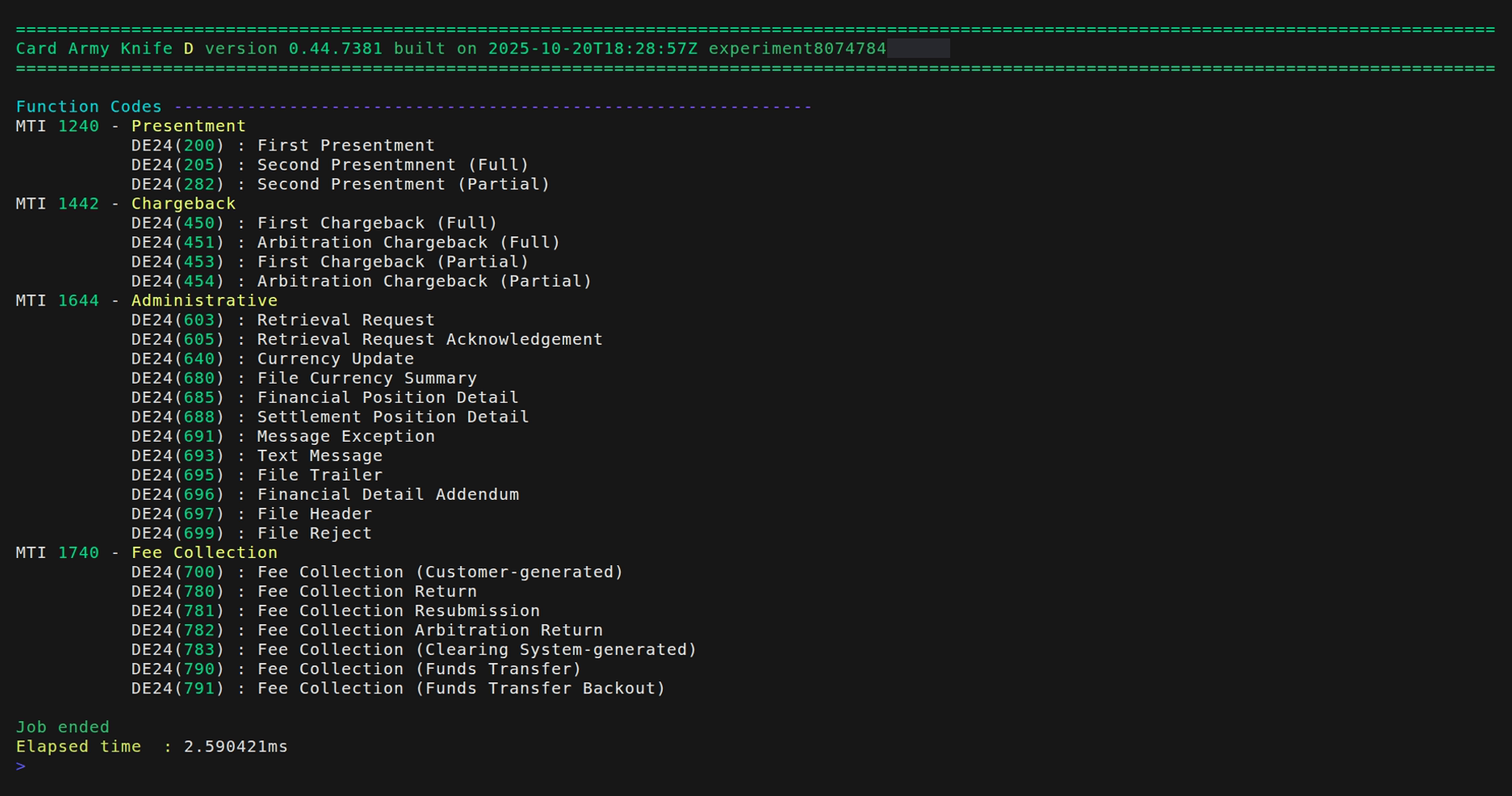
We are presented the possible values for field DE24 for each MTI and their description.
This is helpful so we don't need to read the manual for the values for each transaction type and helps when performing searches in files when we don't exactly remember the fields to use.