REPLACE
Rreplaces values in selected records of an IPM file
Syntax
$ cardak help replace
usage: cardak replace --search=SEARCH --replace=REPLACE [<flags>] <files>...

Search and replace values in files

Flags:
      --help             Show context-sensitive help (also try --help-long and --help-man).
  -v, --verbose          Add more information displayed on some commands.
      --mono             Supress color on output.
      --ignore           Try to ignore some errors and continue processing the file
  -W, --width            Ignore small terminal width check and force execution
  -z, --silent           Suppress all output (banner, headers, summary) except the results. Specially useful for DESCRIBE command piped to a search utility
                         like fzf
  -s, --search=SEARCH    Value of condition to search for
  -r, --replace=REPLACE  Value to use for the sustitution
  -R, --records=RECORDS  List of record numbers to be Searched. Values are separated by comma (,) and ranges are indicated by the starting and ending record
                         separated by a hyphen (-)
  -F, --fields=FIELDS    List of IPM fields to be searched (can use a filter name)
  -l, --last             Use the record numbers returned on the last GREP command

Args:
  <files>  File names to search and replace
Description
With this command we can replace selected values in an IPM file. It is a combination of search and replace but very flexible as we can just limit where that replacement will be done.
The behavior will change depending on the presence or absence of some flags that we will se soon.
This command is used like this:
We need to specify the file name where the replacement should be done. Also the flags --search and --replace must be present.
The --search flag indicates the value to search and the --replace flag indicates the new value.
The search can be global or be limited to just some criteria like records, record ranges or even fields.
Global replacement
If no extra flag is specified, the search will be global, that is, searching in all records and all fields.
Let's see an example. We have a file that contains transaction from a merchant that we know it has the name bochita in its name.
First we perform a search in the file to be sure it is the correct file by using the GREP command:
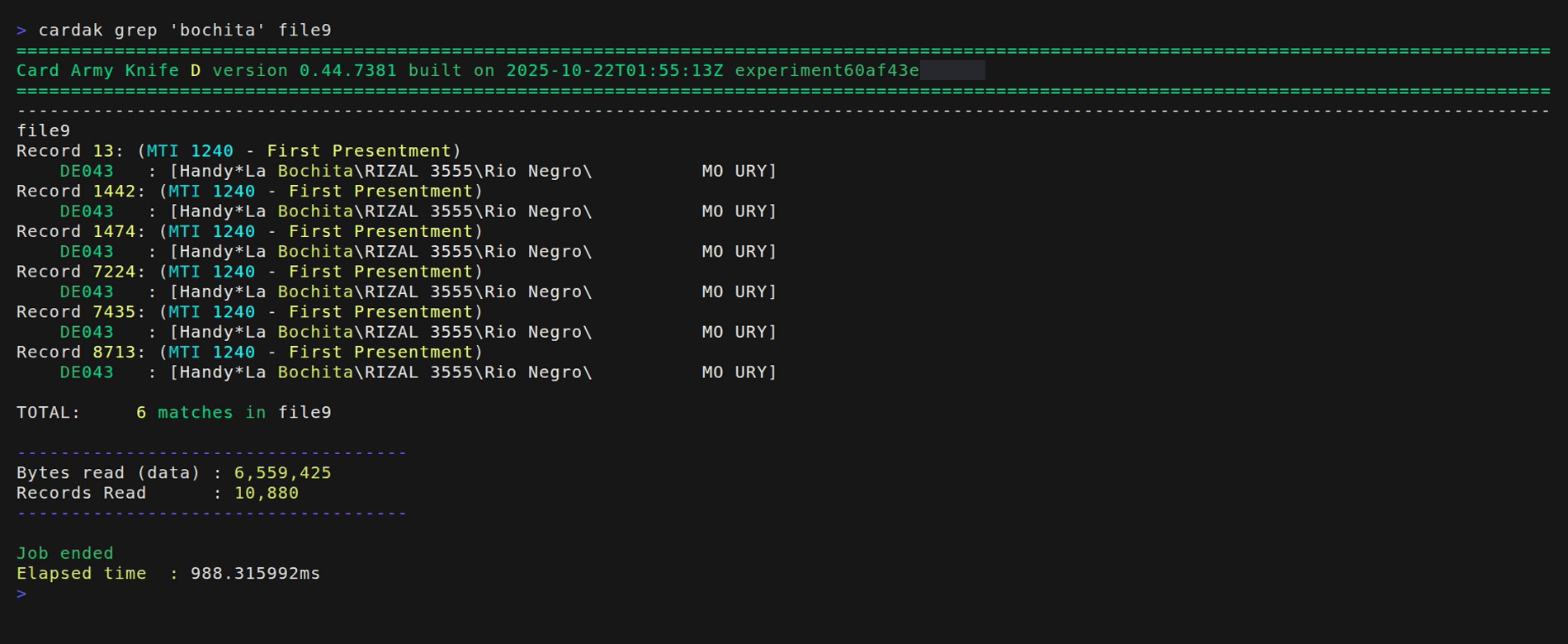
We see that there are 6 records in the file with that word, and in all cases it is present in field DE043.
We want to change the value bochita by Piedrita
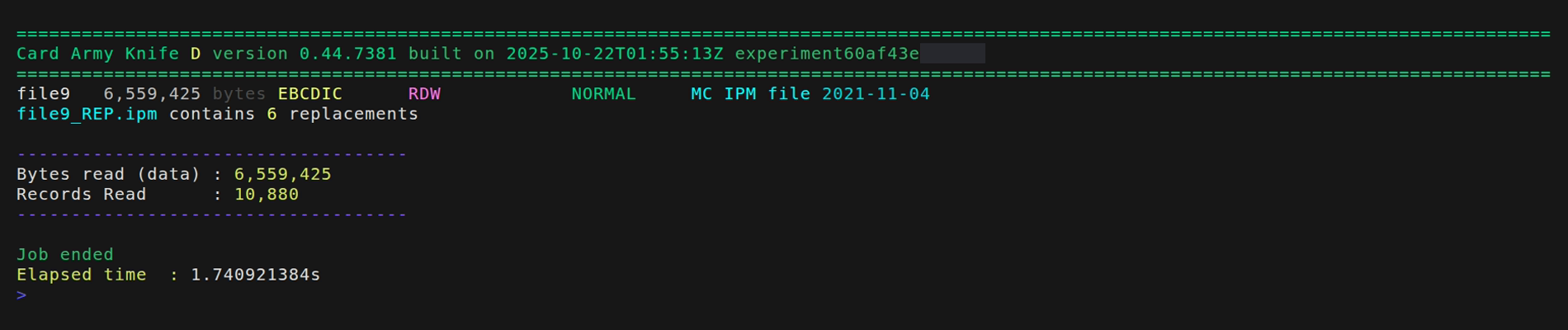
The output shows that there were 6 replacements (which is the same number of records we already found before), and the new files has been named by adding "_REP.ipm" to the original name.
To check this we will search in the new file for the old word bochita
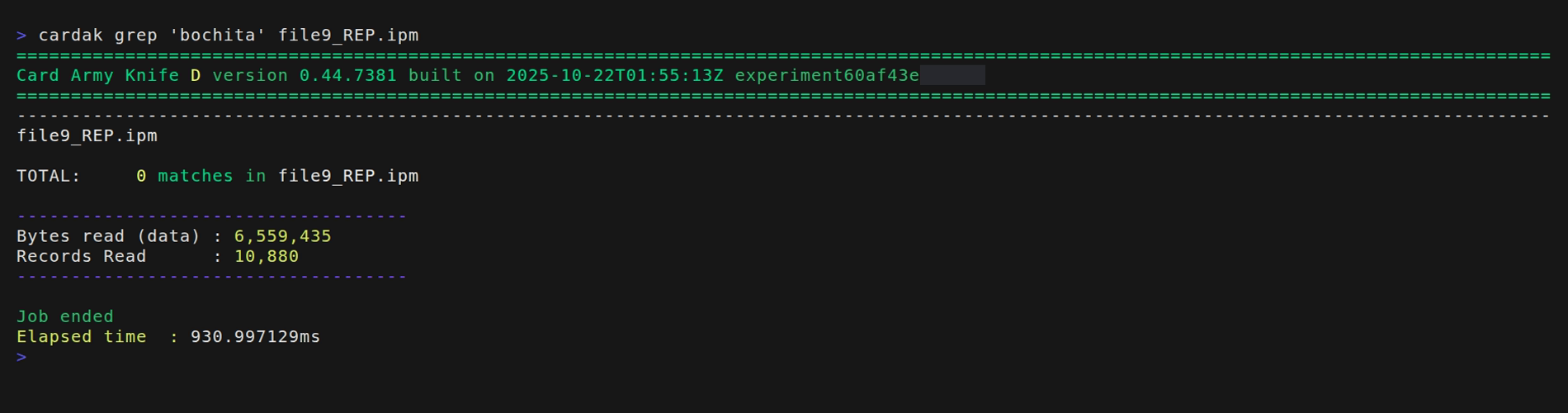
This word is not present, so let's check if it has been replaced by the new word.
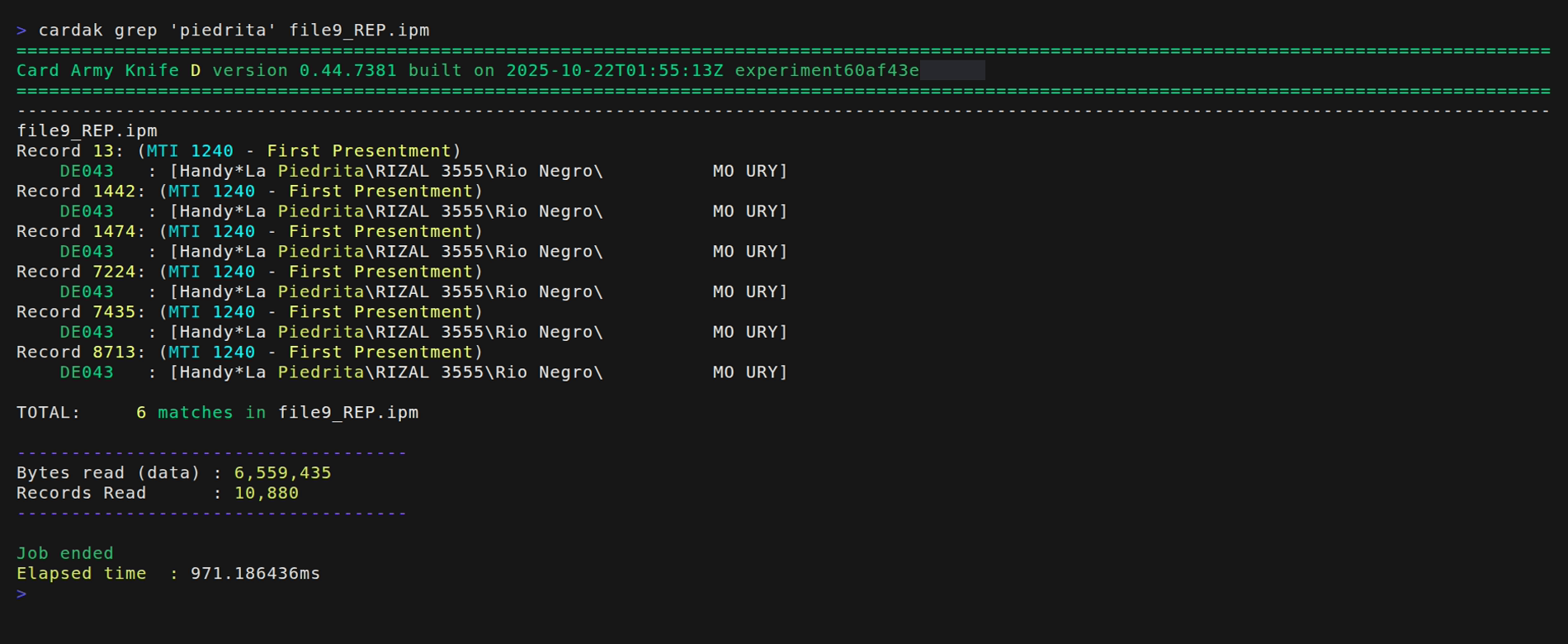
We have confirmed that the new file has the original word replaced by the new one.
Limited replacement
The global replacement can be useful in some cases, like changing the merchant name in all occurences of the file as it may be improbable that the value appears in another field, but this is not always the case and making massive changes can be risky.
We can limit the replacement to certain records or fields, or a mix of both options.
To limit the records where to perform the replacement, we have the usual flag --records (-R), and to specify the fields we have the flag --fields (-F).
If only the --records flag is present, the search and replace will only take place in those records but in all fields.
If only the --fields flag is present, the search and replace will be performed in all records but only on the specified fields.
If both flags are present, the search and replace will only be done in the indicated fields of the specified records, which is the most restrictive option.
Let's see an example of a possible and frequent use. We will search for a transaction that we know the amount and we will refine the search until we find the exact transaction in order to change some of its values.
For this example we know the transaction amount was 600.00
Let's search the file for this value. As we know two decimals are present, the search will be done for the value "60000" that includes those two decimal places.
We execute this command:
cardak grep '60000' file9

We see 52 records containing that value, but we also see that not only amounts are matched but also this value appears in other fields, like in some PDS (it is common that numeric values appear in several fields mostrly as partial strings)
Let's restrict the search a little more to only consider the field that holds the amount, in this case, field DE004
cardak grep '60000' -F DE004 file9
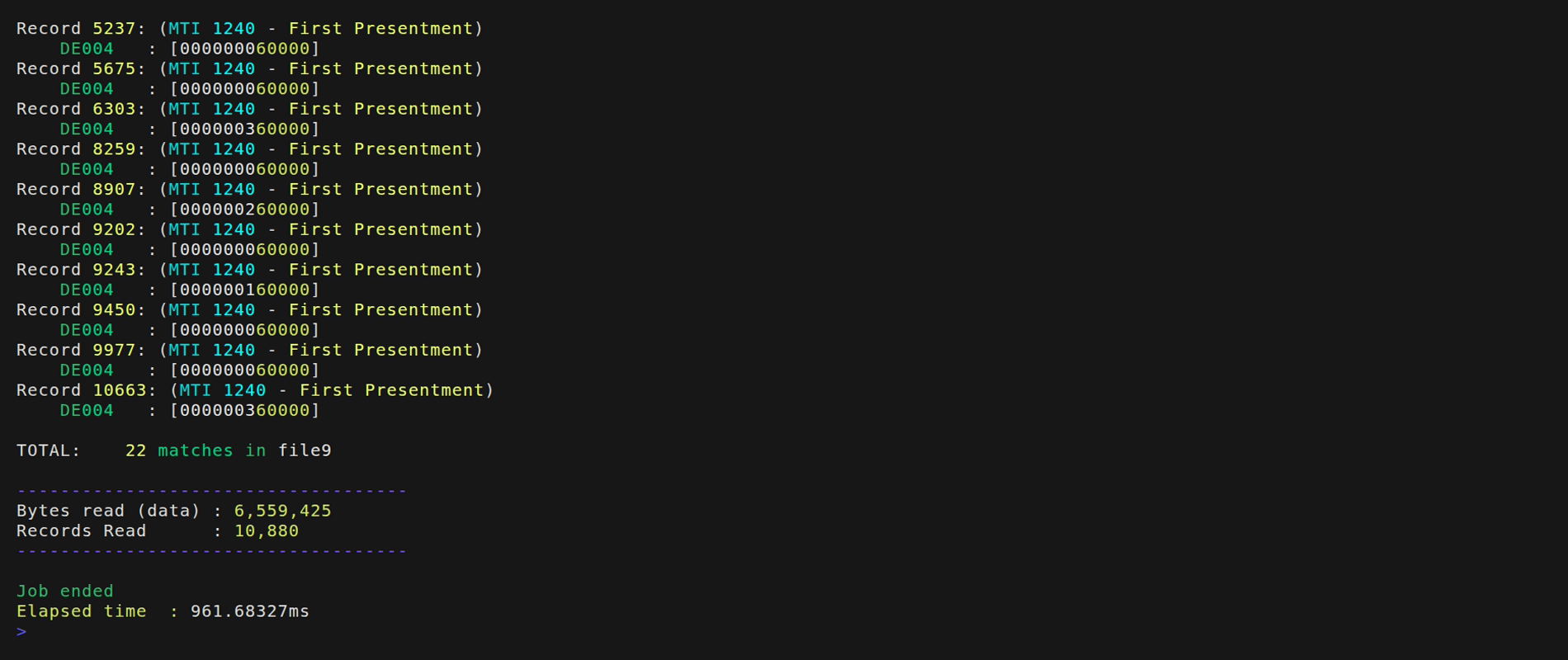
We have narrowed our search to just 22 matches, but we observe that if we are just looking in field DE004, not only several records hold this value, but also there are some matches which are not exact, because the matching logic also considers when the searched value is part of another. So, any value that contains "60000" in any part of the field will match. We can see that values like 3600.00 or 1600.00 also match, and in general any value containing "60000" will be a match. For example a value of 60000.15 will also be a match (false positive)
To solve this problem (and is it suggested to always do this), we can use a regular expression for the search. In our case we want that on the left of the value we have only zeores, and that the searched value is at the end of the value. We can use the following search criteria:
cardak grep '^0+60000$' -F DE004 file9
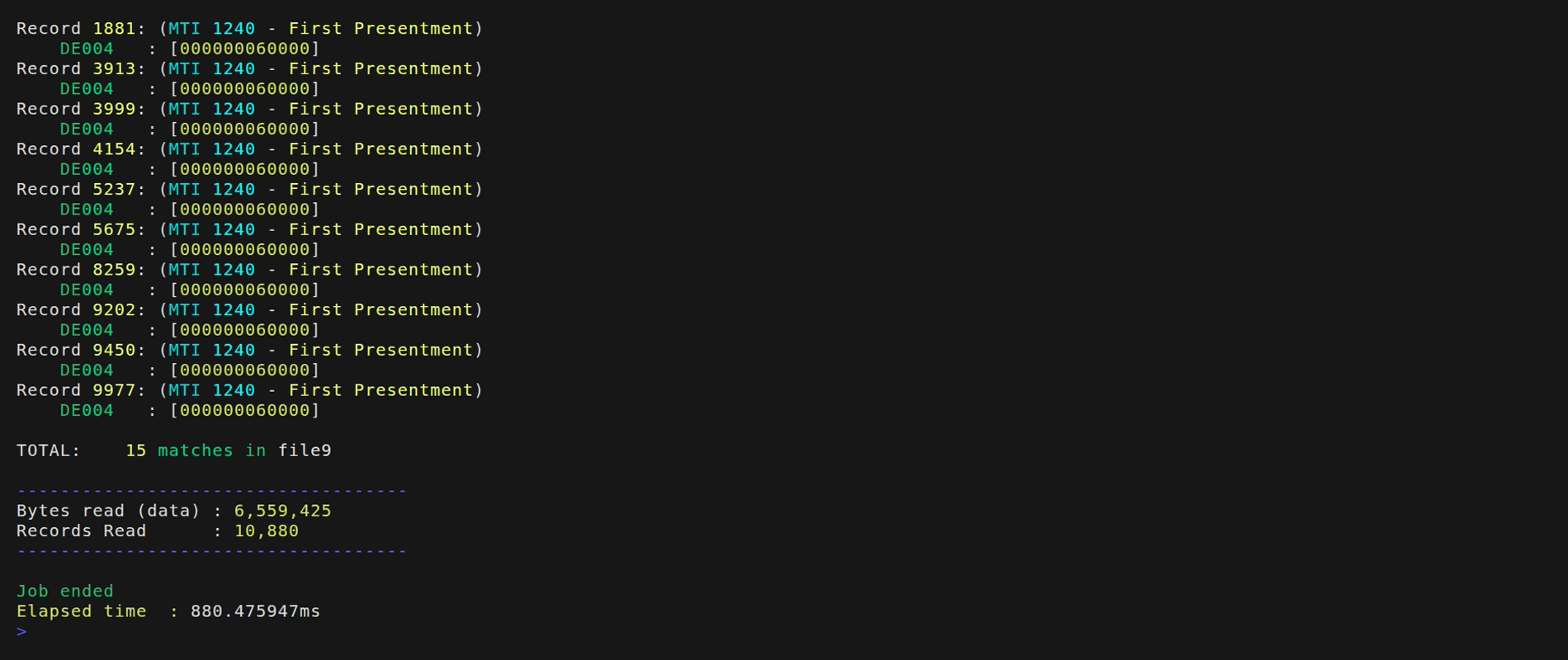
We have narrowed the matches to 15 records, and all of them correspond to the desired amount. So let's refine the search using other values of the transaction. For example, we can print the matching records showing another fields like the PAN and Merchant:
cardak grep '^0+60000$' file9 -F D4 -I D2,D43

We finally found the transaction. It is the one for 600.00 with the card ending in '6172' and in a merchant with name 'Mac'. It is record 8259
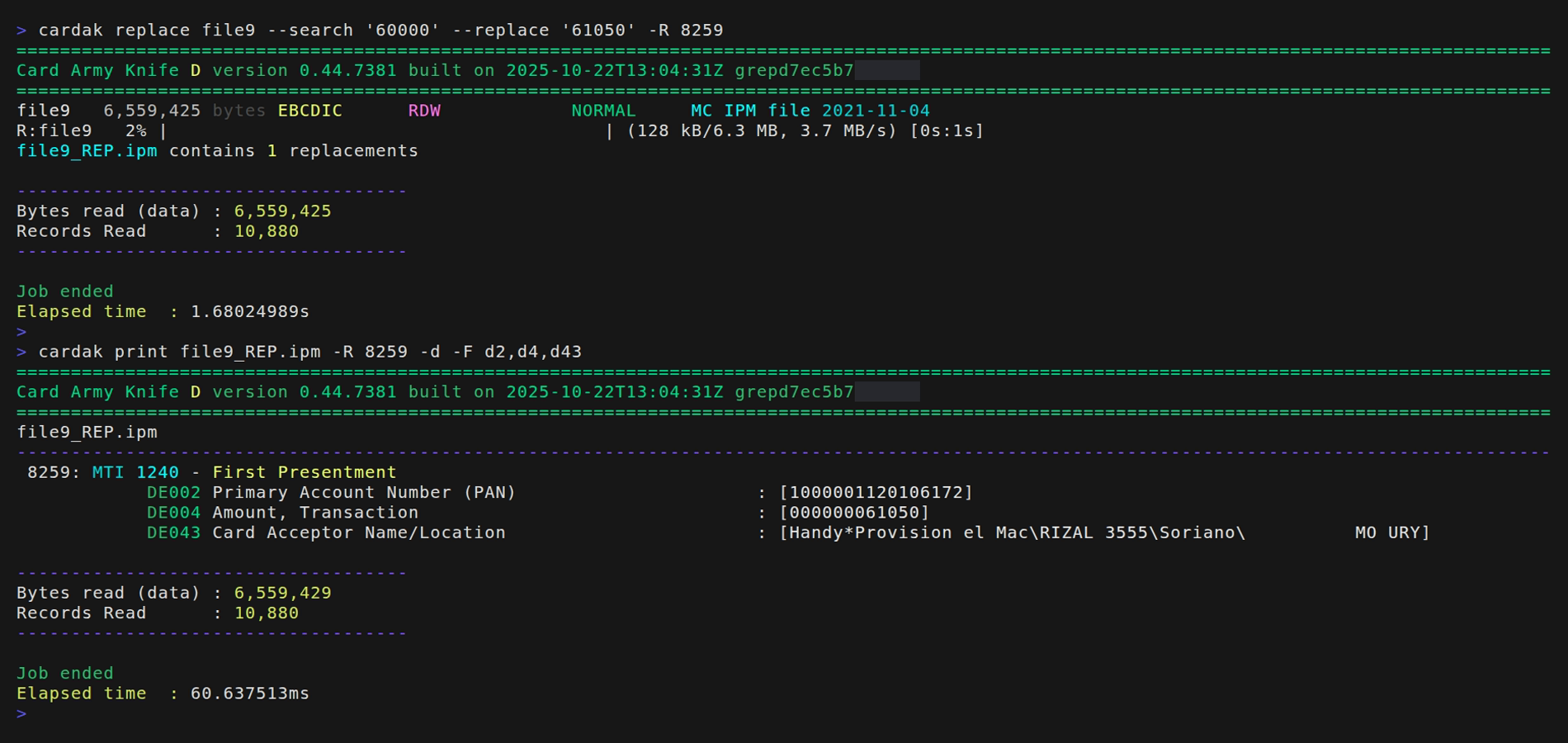
We can now change the amount, let's say, for 610.50 (this is not a realistic operation because it would create differencies in the settlement, but here we are just testing the ability to modify data in records using the REPLACE command)
We will also verify the new values by printing the modified record.
Search criteria
The search value can be a constant value or use regular expressions. The regular expressions can be useful as we have seen, when the searched value can be part of another one, so we need to be more specific on how we define the search.
The search can be:
- Global - The value is searched in all records and fields
- By record - The value is searched just in the indicated records
- By field - We only consider the indicated fields
- By record and field - The most restrictive, it only searches in the given fields of the given records.
We can, as always, use the results of the last GREP command by using the --last (-L) flat to limit the search and replace on the records returned by the last search without the need to specify the records with the --records (-R) flag.