IMPORT
Imports records from external files (CSV or HEX) into IPM. files
Syntax
$ cardak help import
usage: cardak import <file> <source>...

Import records into the specified IPM file from files containing hex or csv records

Flags:
      --help     Show context-sensitive help (also try --help-long and --help-man).
  -v, --verbose  Add more information displayed on some commands.
      --mono     Supress color on output.
      --ignore   Try to ignore some errors and continue processing the file
  -W, --width    Ignore small terminal width check and force execution
  -z, --silent   Suppress all output (banner, headers, summary) except the results. Specially useful for DESCRIBE command piped to a search utility like fzf

Args:
  <file>    IPM file name where imported records will be added
  <source>  File that contains the records to be imported (hex or csv)
Description
This commands performs the inverse operation to the EXPORT command.
We can add previously exported records into an existing IPM file. It accepts files in either CSV or HEX formats that contain previously exported records.
The imported records are added to the end of the file just before the final trailer, so if the file contains more than one logic file, the imported records will be added to the last logical file.
Internally, the file trailer is located and the records are added just before this trailer. Then the accumulators and checksums of the trailer are recalculated and updated to reflect the new added records.
Examples
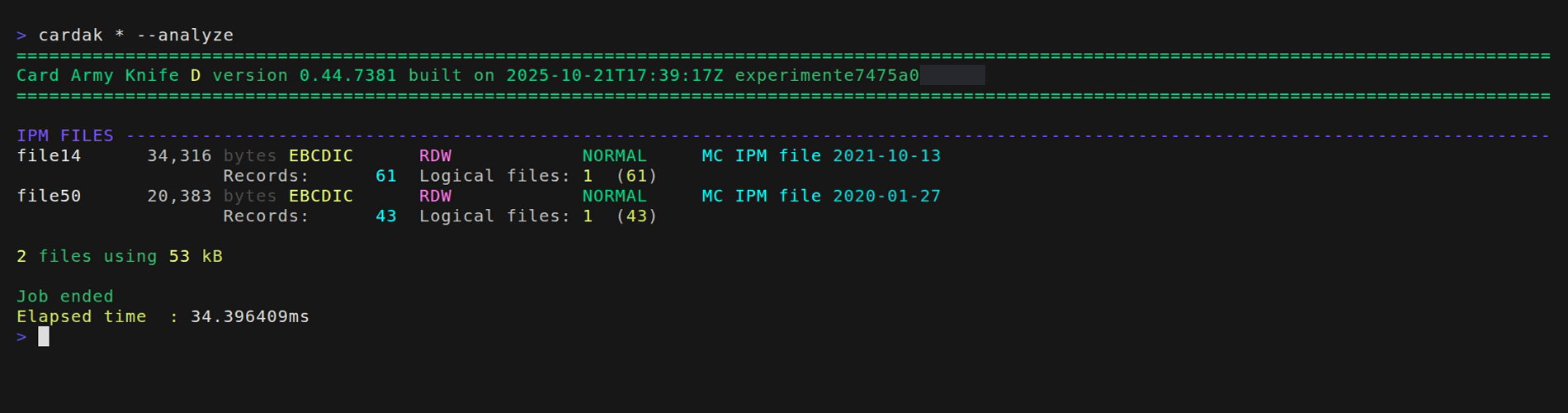
Let's take these two files, one with 61 records and the other one with 43 records.
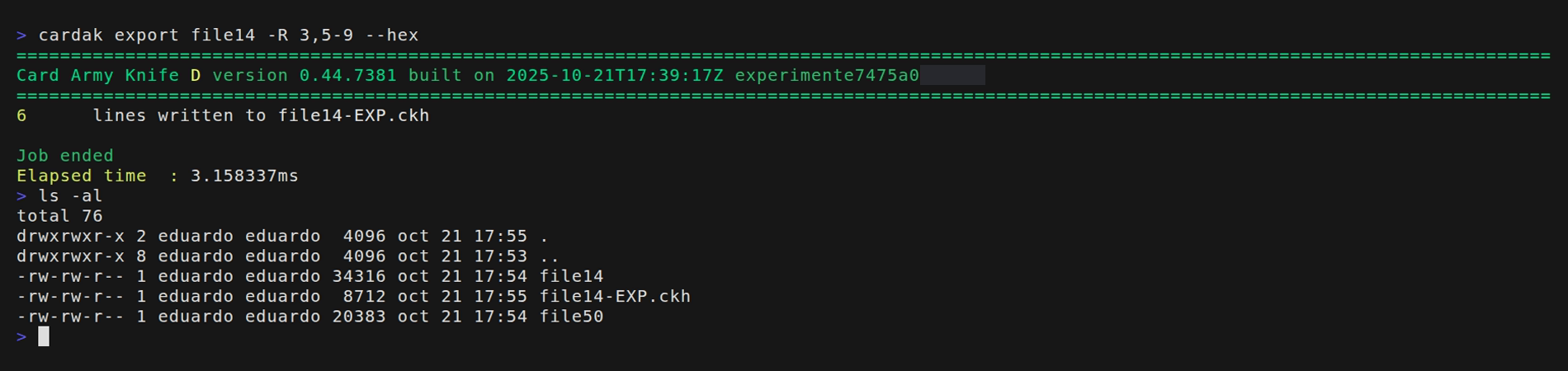
First we will export some records from file14
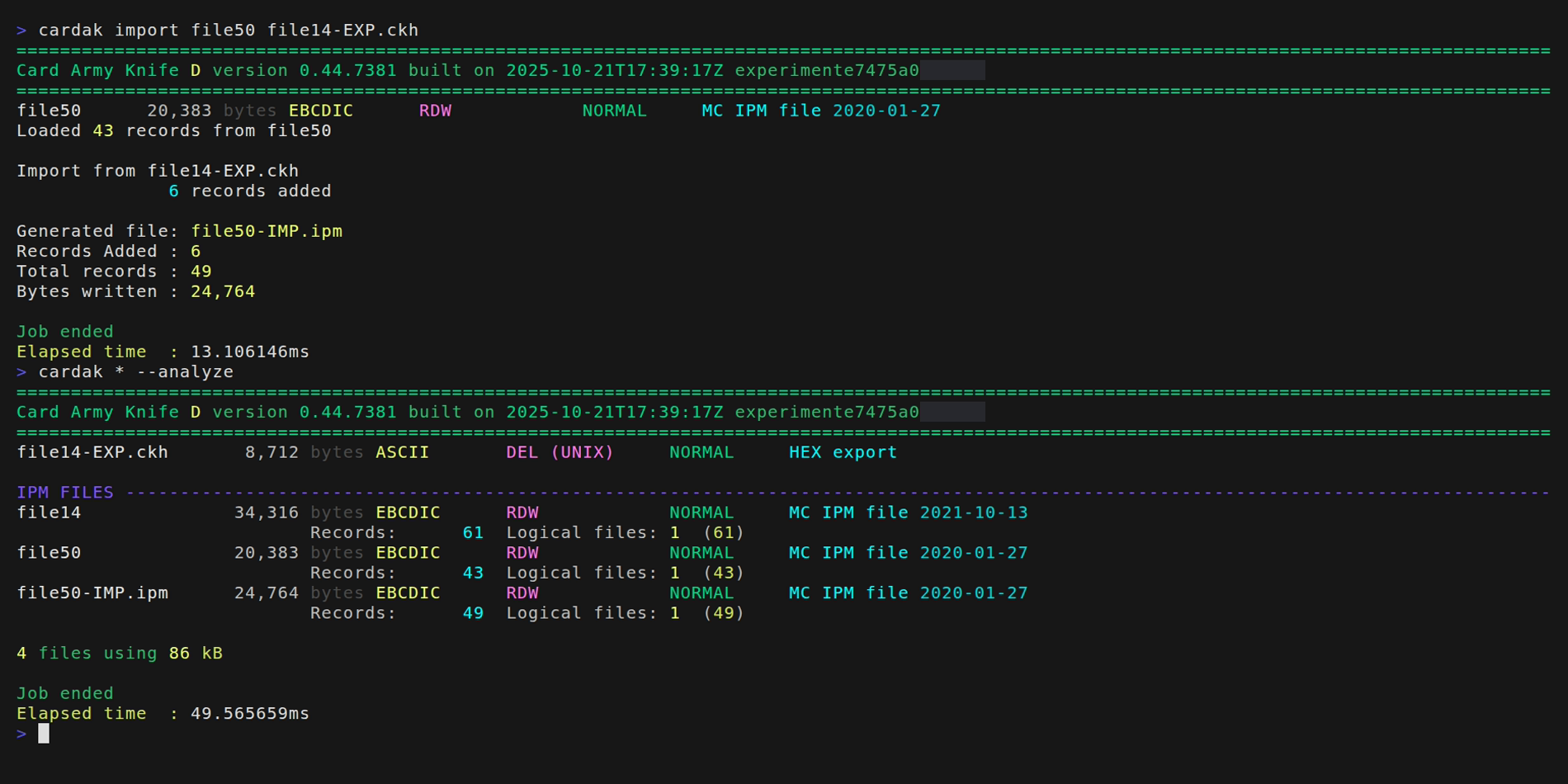
And now we will import those 6 exported records into file50